Shotgun Battle Grid
A neon tactical arena that turns reload, shoot and shield into a spatial combat loop built around alignment, simultaneous resolution and game feel.
Open to collaborations and creative opportunities
Multidisciplinary game developer
I bring programming, game design and visual direction together to build expressive experiences that feel intentional from the underlying state to the final moment of feedback.
01A compact tactical duel where simultaneous choices become readable movement, projectiles and feedback.
Selected work
Original projects chosen for the way they combine systems, narrative and visual judgement—not because they belong to the same discipline.
01
Unity 6 · C# · 2 weeks · solo
A neon tactical arena that turns reload, shoot and shield into a spatial combat loop built around alignment, simultaneous resolution and game feel.
02
Unity · C# · narrative action · solo
A narrative action platformer where dialogue, boss encounters and cinematic scene flow support a story about identity, memory and moral choice.
03
React · Konva · product design · solo
A desktop workspace that replaces flat reading lists with a spatial hierarchy, contextual editing and a navigable timeline of reading history.
Master’s projects
Academic projects presented honestly as targeted exercises: each one isolates a different game-development problem and turns it into a working system.

Original academic game · Unity · C#
Turn-based combat built around projectile physics, destructible terrain and modular abilities.
Physics & tactical systems ↗
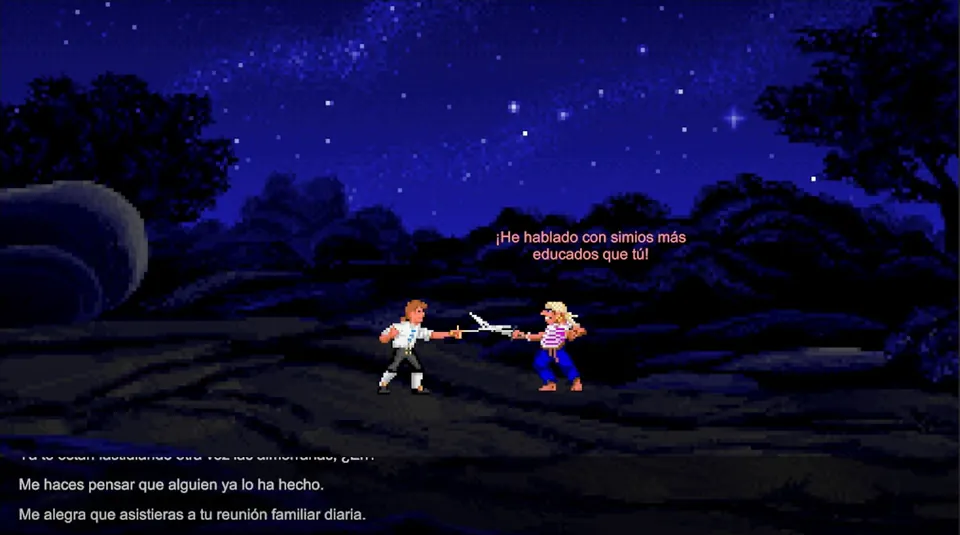
Dialogue systems study · Unity · C#
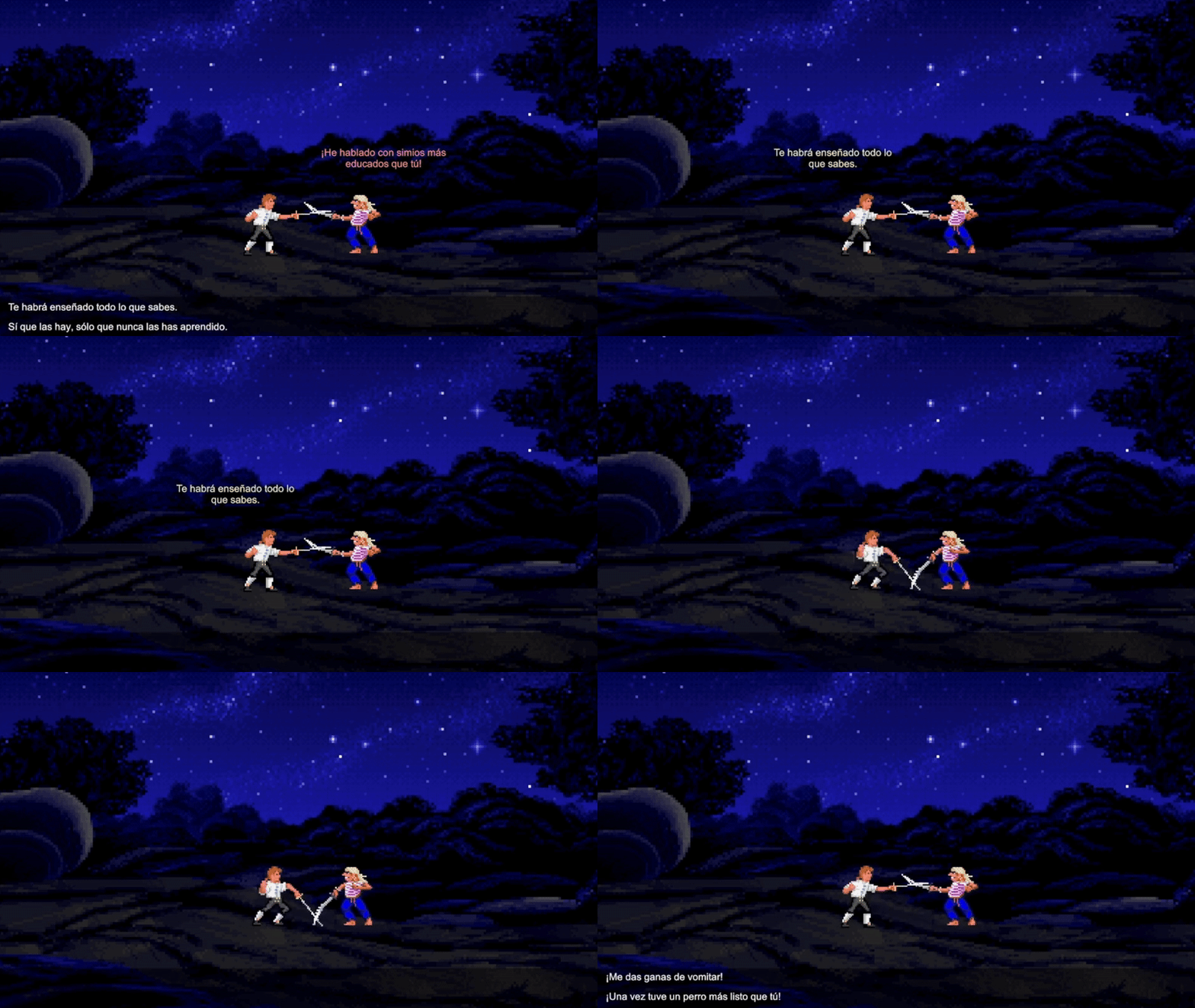
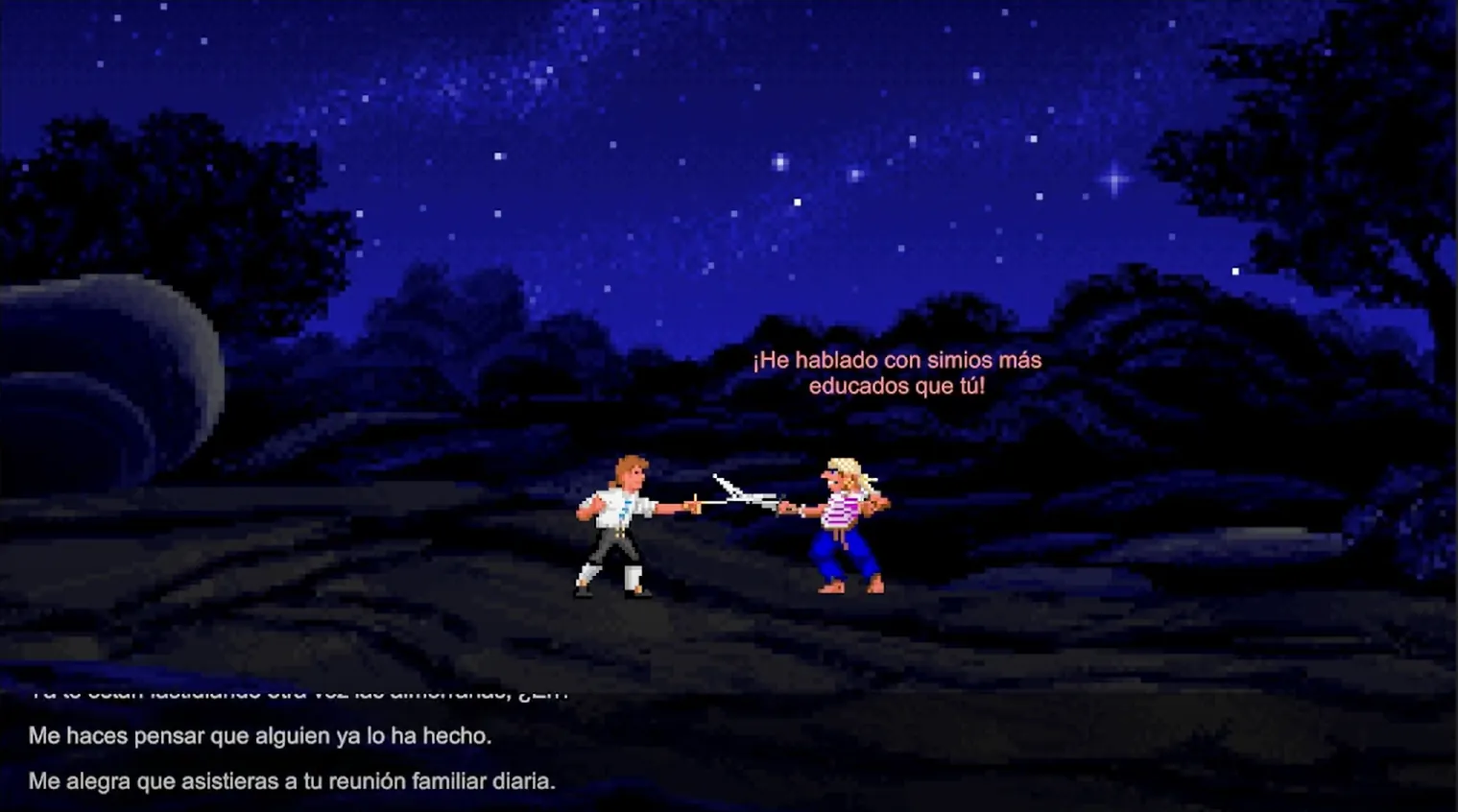
A reconstruction of insult sword fighting focused on branching dialogue, comic timing and reactive feedback.
Narrative mechanic ↗
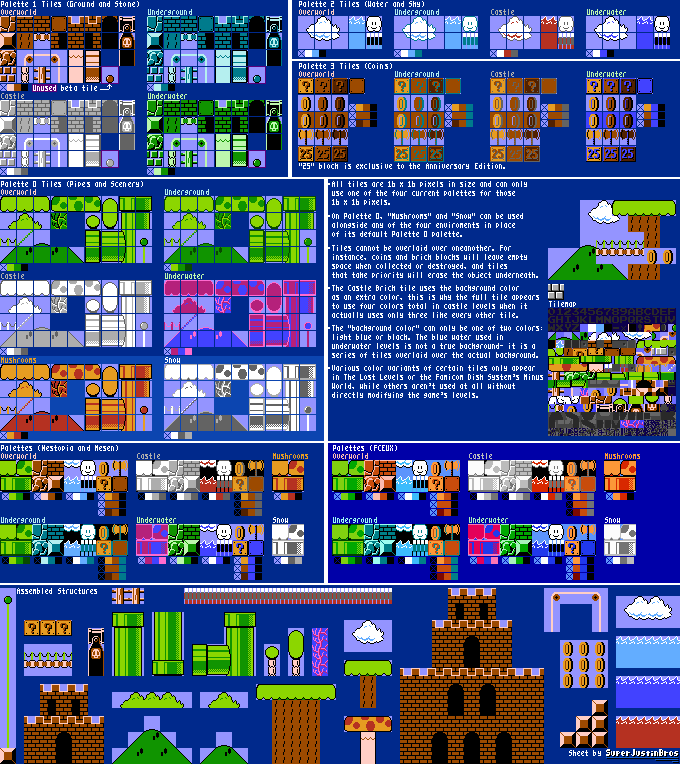
Technical recreation · Unity · C#
A precision study of movement feel, collision, level rhythm and the hidden design decisions behind a classic.
Movement study ↗Personal products
Complete products that translate real needs into clear interfaces, persistent state and practical daily use.
React · TypeScript · Supabase · Cloudflare · PWA · 2026
An offline-first personal workspace for capturing, organising and developing ideas through text, voice transcription, attachments and private cross-device synchronisation.
JavaScript · Firebase · PWA · 2025
A responsive digital teaching planner for weekly schedules, recurring activities and searchable lesson history synchronised across devices.
Vanilla JavaScript · PWA · 2026
A mobile-first training product that replaces the friction of consulting and editing a large powerlifting spreadsheet between sets.
React · TypeScript · Firebase · 2026
A responsive household workflow for reusable menus, fourteen weekly meal slots and a shopping list synchronised across devices.
Playground
A less formal space for work that tests silhouettes, animation, low-poly form and ideas that may later grow into larger projects.
Game in development · visual development
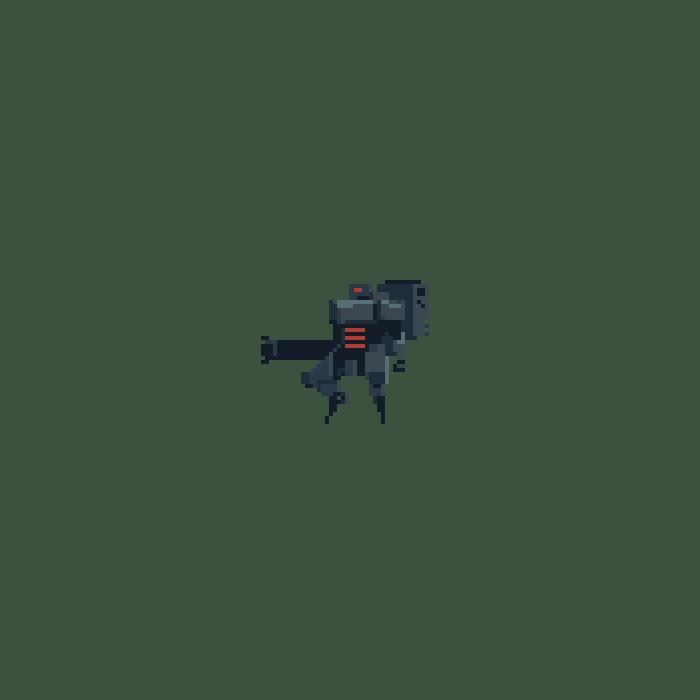
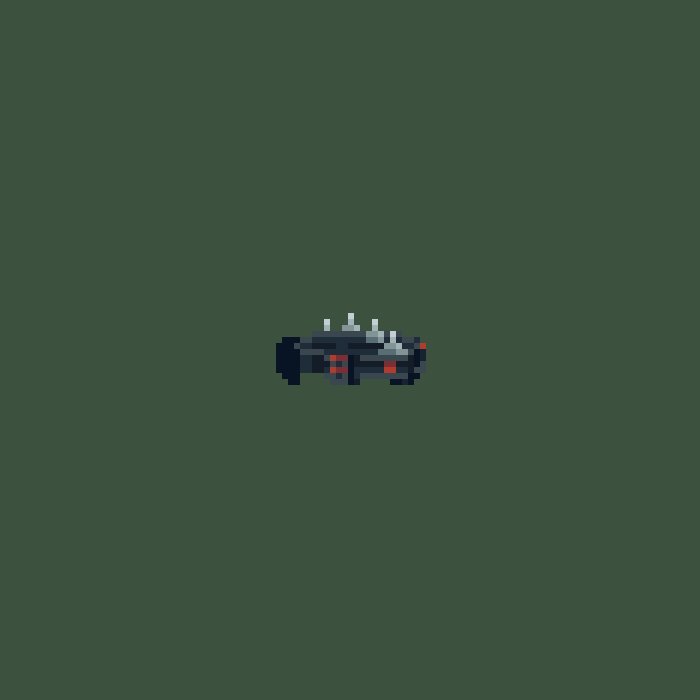
Player units, enemies and NPCs exploring a readable retro-futuristic world before its gameplay is ready to share.
Open visual development ↗Pixel art · character study
Pixel art · ensemble study
3D · vehicle collection
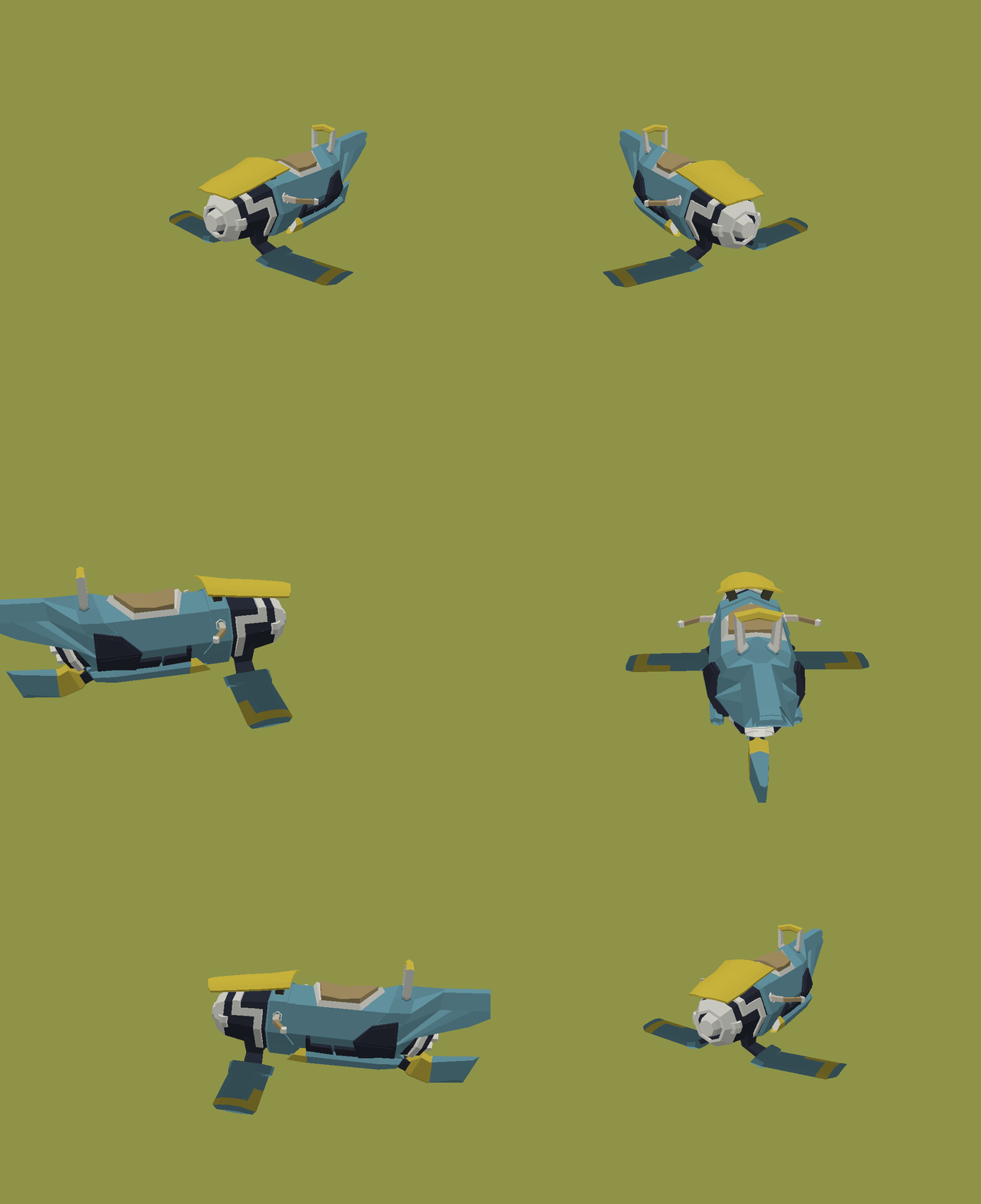
Four vehicles using one visual language while preserving distinct profiles, mass and roles.
Open study ↗
Low-poly prop
Low-poly prop set
About
My strongest work happens when I can understand the system, shape the interaction and polish the feedback rather than treating code, design and art as separate stages.

I am a multidisciplinary game developer with a background in multimedia and interactive products. I enjoy building readable systems, narrative mechanics and interfaces that communicate clearly through motion, sound and visual hierarchy.
I currently work as a Game & Web Developer at UManresa while completing a Master’s Degree in Video Game Design and Programming.
proviraguilar@gmail.com ↗Unity, C#, gameplay systems, state management, AI, UI, animation and game feel.
JavaScript, TypeScript, React, Firebase, canvas interaction and PWA delivery.
Pixel art, shaders, 2D animation, low-poly 3D and interface direction.
University of Vic - Central University of Catalonia (UVic-UCC)
Universitat Oberta de Catalunya
Unity 6000.0.65f1 · Solo personal project · 2 weeks
Overview
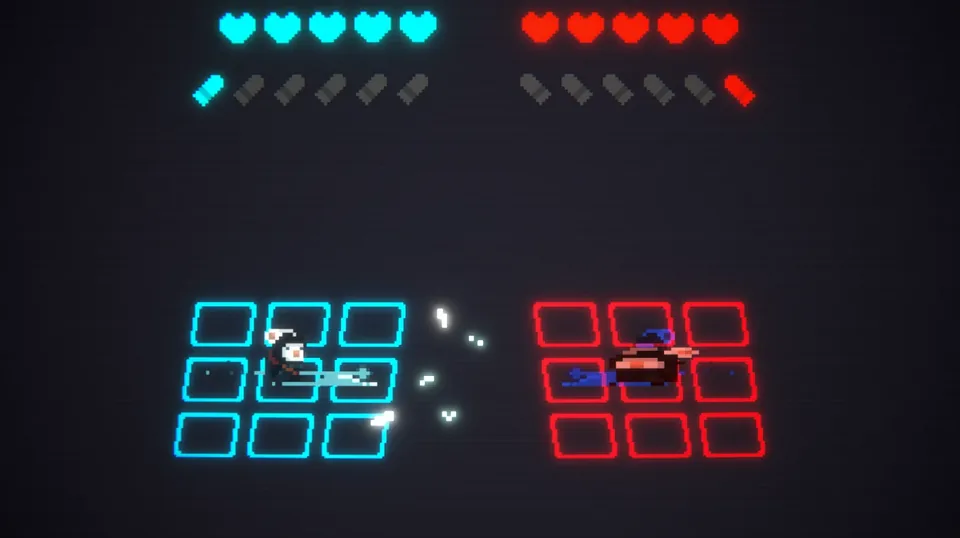
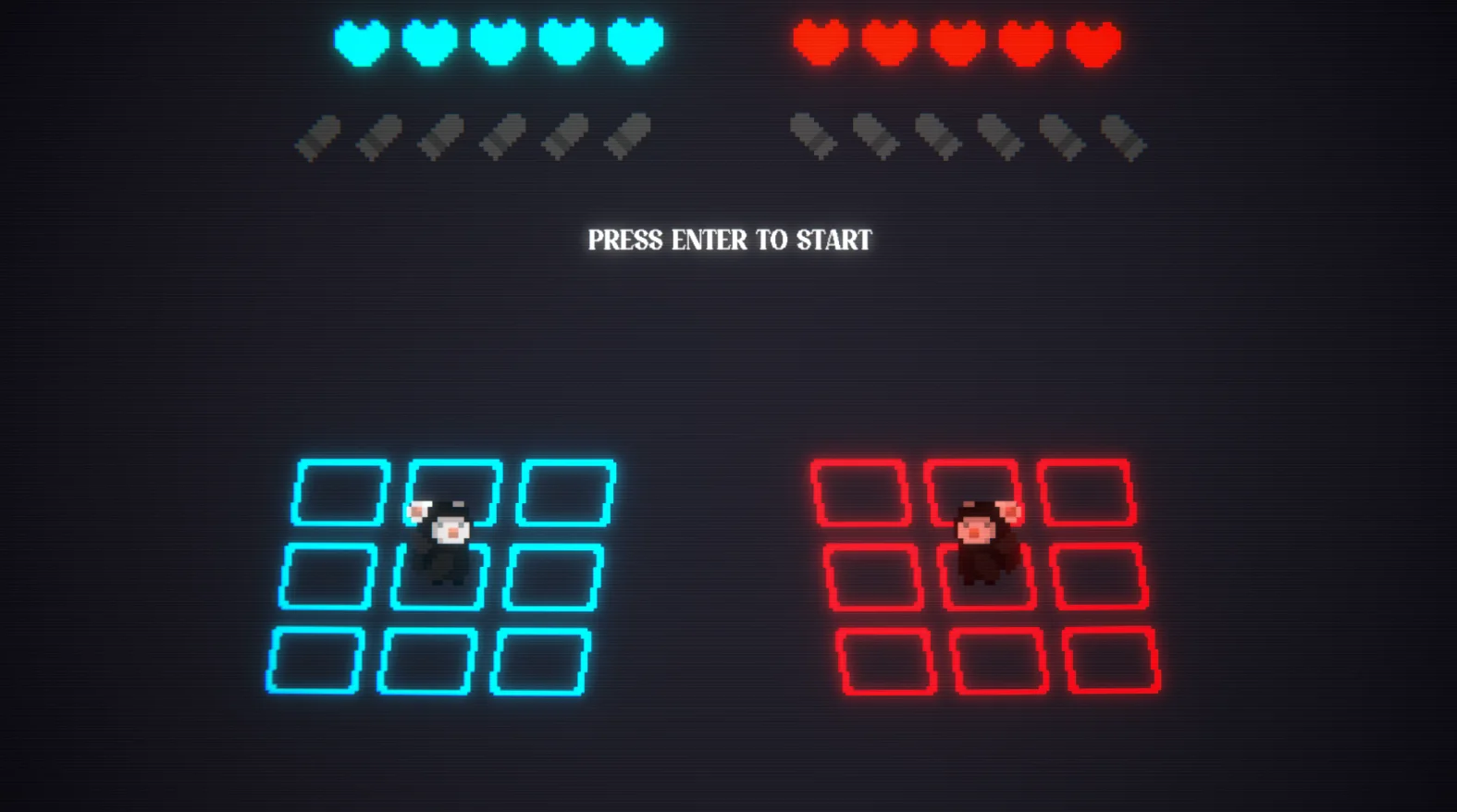
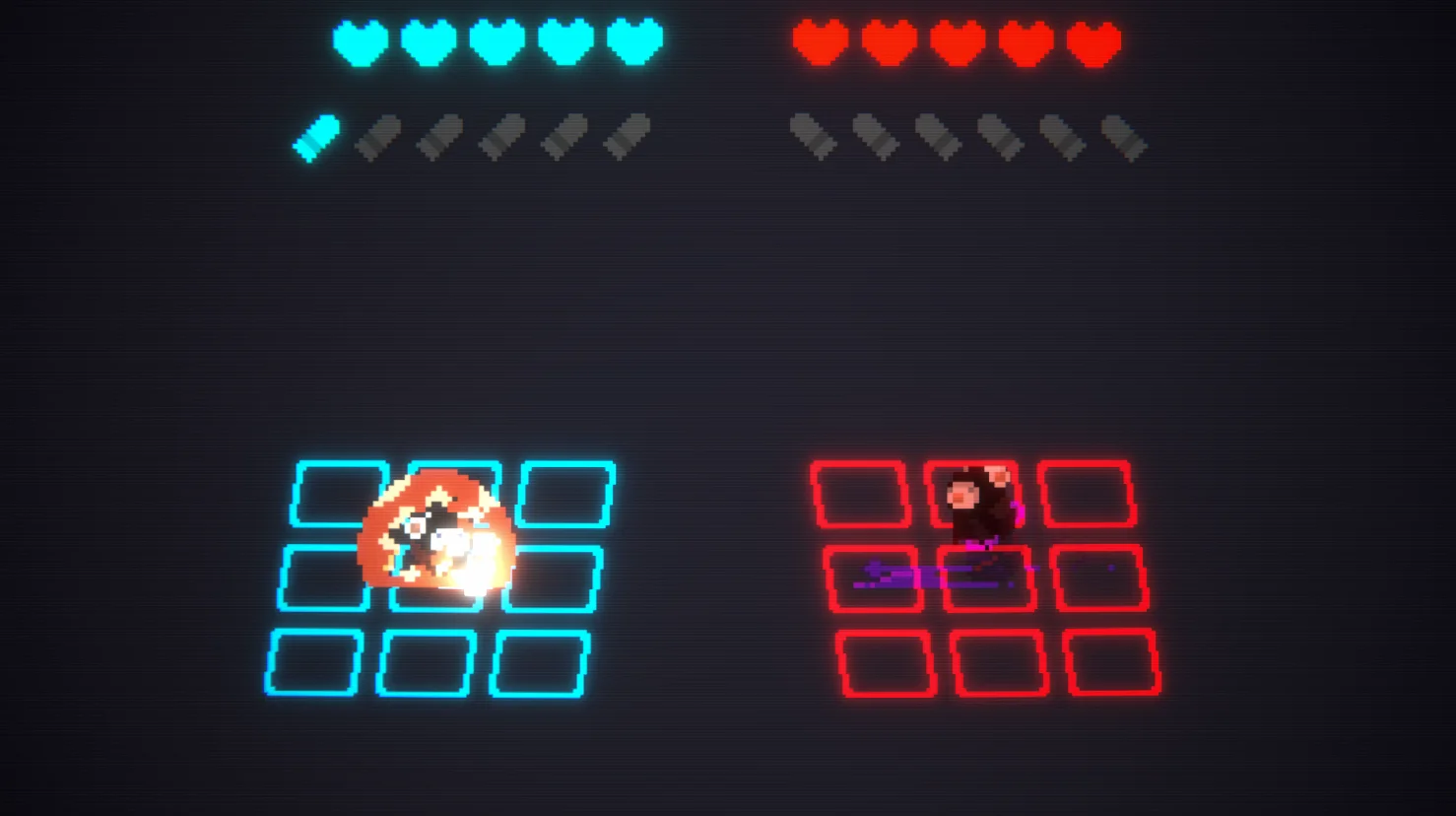
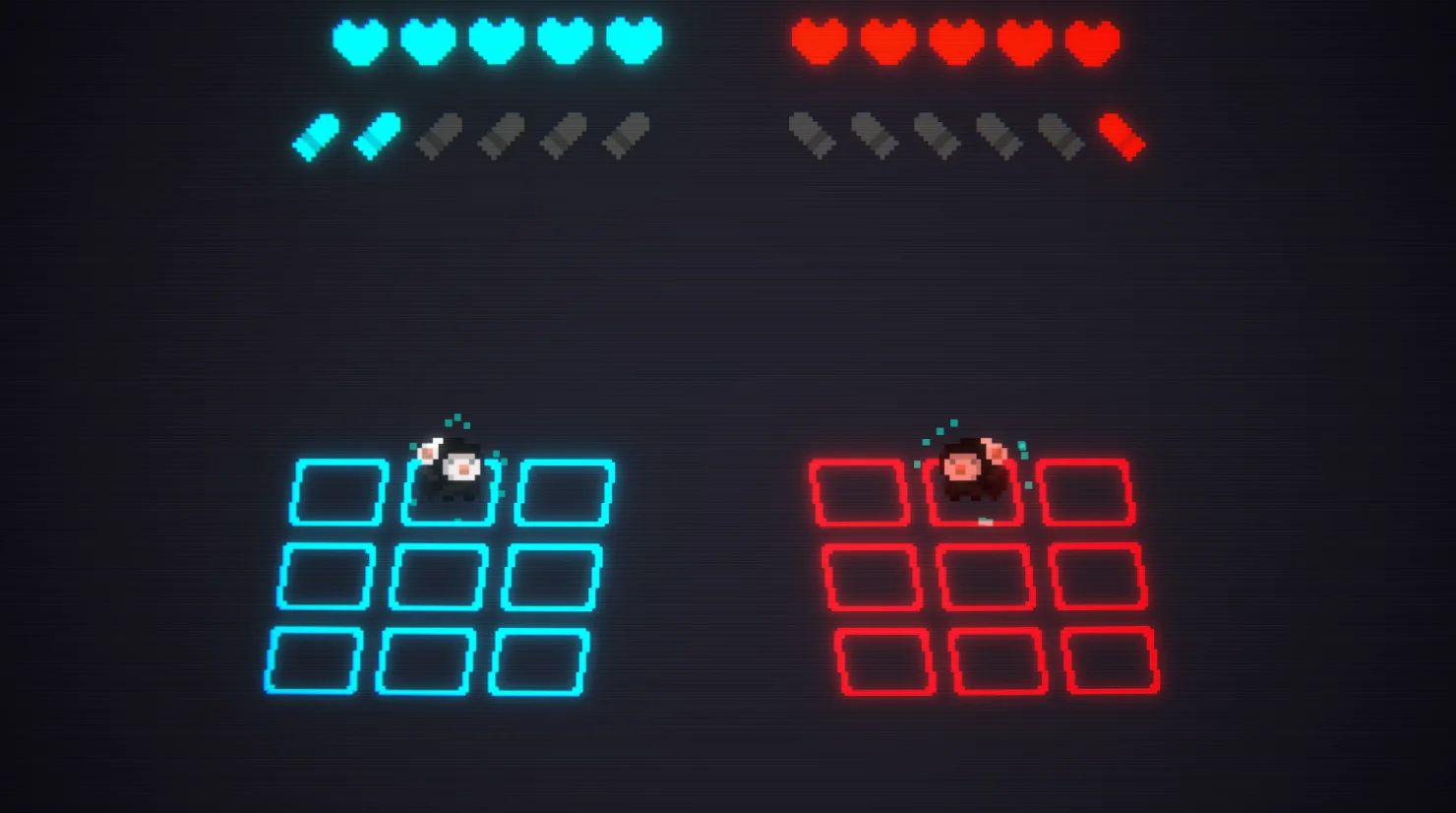
Shotgun Battle Grid transforms the immediate decision-making of the classic reload, shoot and shield hand game into a compact tactical arena. Two fighters move across separate three-by-three grids, manage ammunition and resolve simultaneous actions through readable animation, projectiles, effects and sound.
The combat prototype is complete and publicly available as a playable browser build. Its source code and project documentation are also available on GitHub.
The idea
The original game is driven by anticipation: reload, shoot or defend. I preserved that immediate mental loop, then added positioning, alignment and visible projectiles so every decision has a physical consequence the player can read before the next turn begins.
Positioning
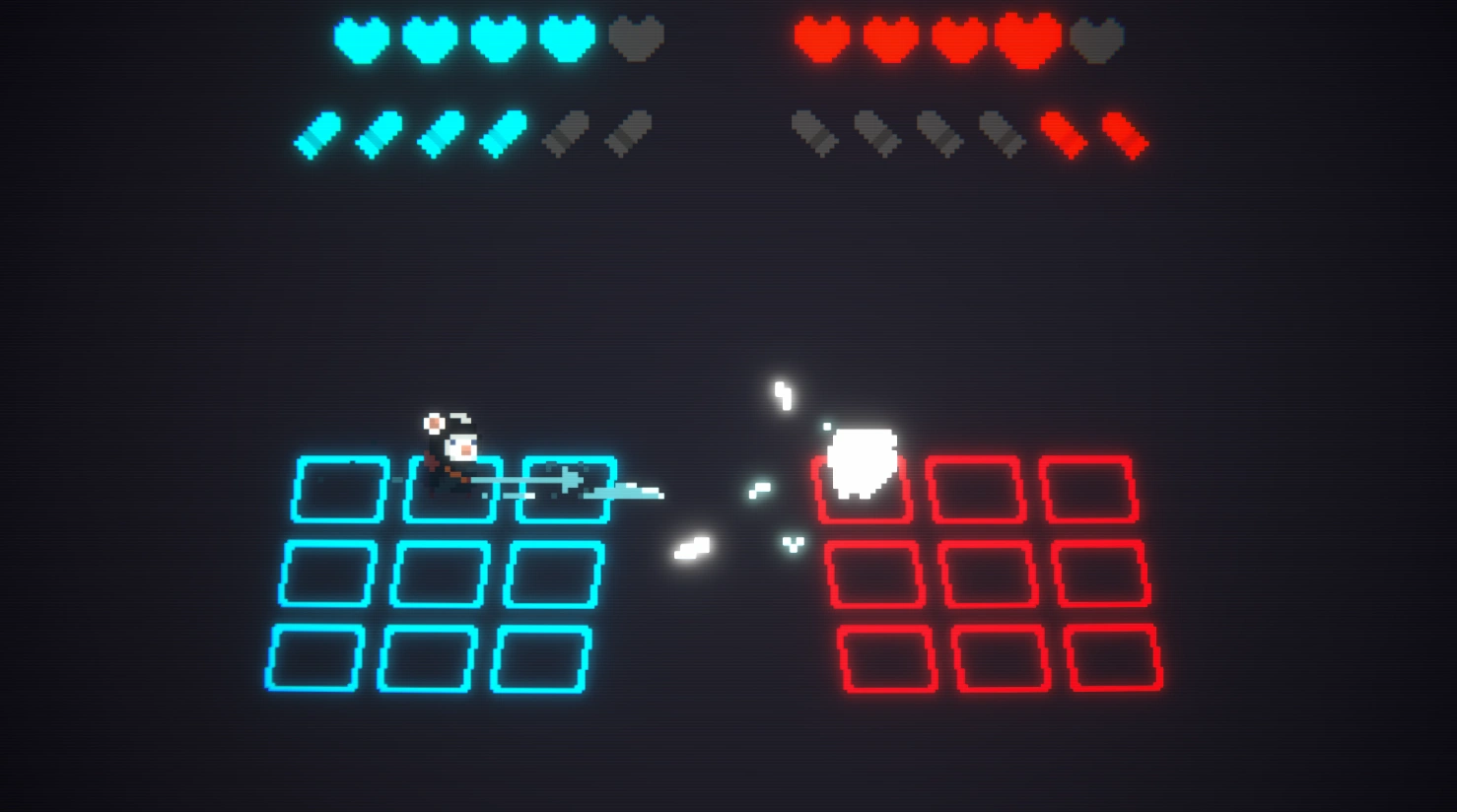
Each fighter occupies an independent three-by-three grid. Movement happens before the combat action, and a projectile can only damage the opponent when both fighters share the same row. Repositioning therefore changes the value of every reload, shot and shield without making the arena difficult to understand.
Combat loop
The player may reposition, then selects one combat action while the enemy AI makes its own choice. The battle manager resolves both decisions as one controlled sequence so animation timing, projectile travel, blocking, damage and the return to player control remain consistent.
Adds one bullet up to the configured ammunition limit.
Consumes ammunition and threatens the opponent only when rows align.
Blocks an incoming aligned projectile without triggering damage feedback.
Repositions the fighter before the turn action and changes the tactical risk.
Simultaneous resolution
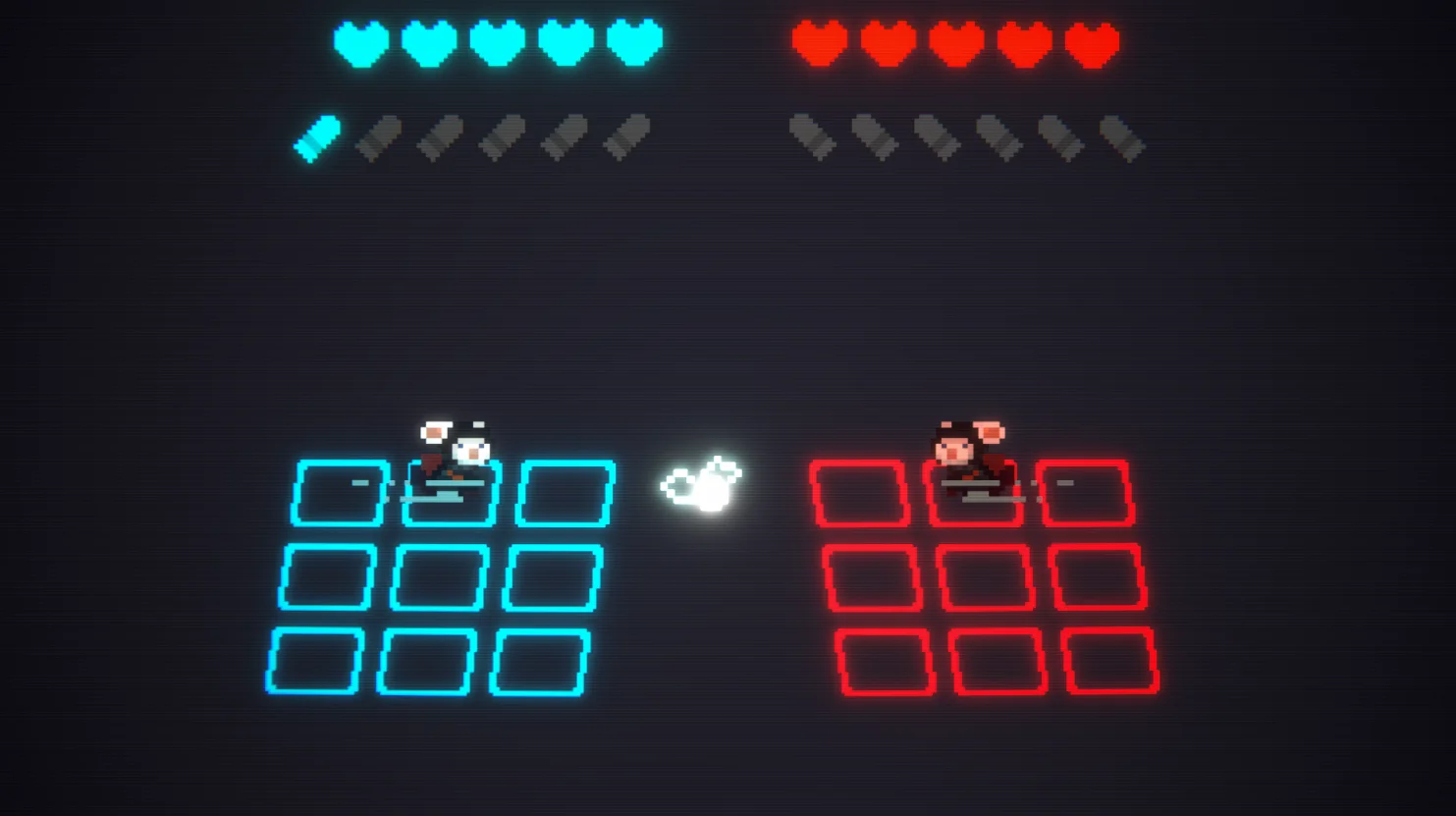
If both fighters successfully fire while aligned, clash resolution takes priority over normal damage. Both projectiles travel toward the same midpoint, collide, generate a dedicated impact and disappear. Neither fighter is hit, making the simultaneous outcome visually distinct from a normal block or missed shot.
Game feel
Animation, audio and effects are timed around the gameplay result rather than played as independent decoration. Shield impacts, white damage flashes, blinking, animated hearts, ammunition feedback, reload particles, afterimages and screen shake all help the player understand what happened before the state machine advances.


Architecture
BattleManager controls the turn and state flow, while fighter state, animation, projectile movement, interface feedback, audio and temporary effects remain in dedicated components. This separation keeps the sequence readable even though many events must happen in a precise order.
Result and next step
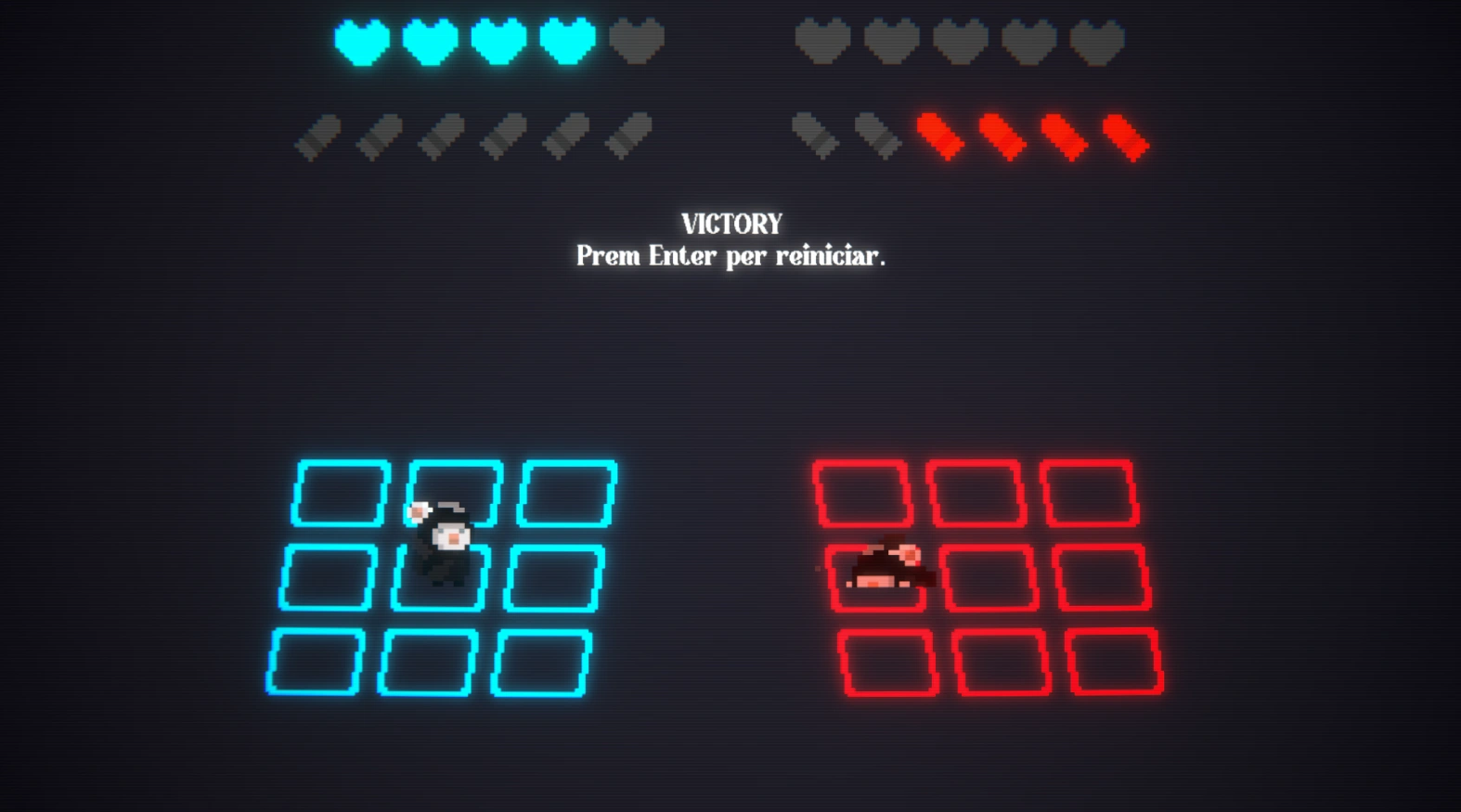
The two-week project delivers a complete battle loop with player movement, enemy AI, health, ammunition, shields, projectile clashes, win and loss states, restart flow and a full audiovisual feedback layer. The public browser build makes the complete loop directly playable, while future iterations could introduce smarter AI profiles, special actions, hazards and multi-round matches without changing the core rules.
Outcome
A complete two-week combat prototype with movement, AI, ammunition, health, shields, projectile clashes and full audiovisual feedback.
My contribution
Solo development from concept to final presentation: programming, game design, pixel art, shaders, interface, effects and integration.
What comes next
Smarter AI profiles, new actions, grid hazards, multi-round matches and a possible public repository or playable build.
Unity / C# · Solo project · 2 months
Overview
A solo project that reimagines the classic insult-sword-fighting mechanic from the Monkey Island series. Built during my Master’s programme as both a tribute and a technical exercise in narrative design.
Reconstruction goal
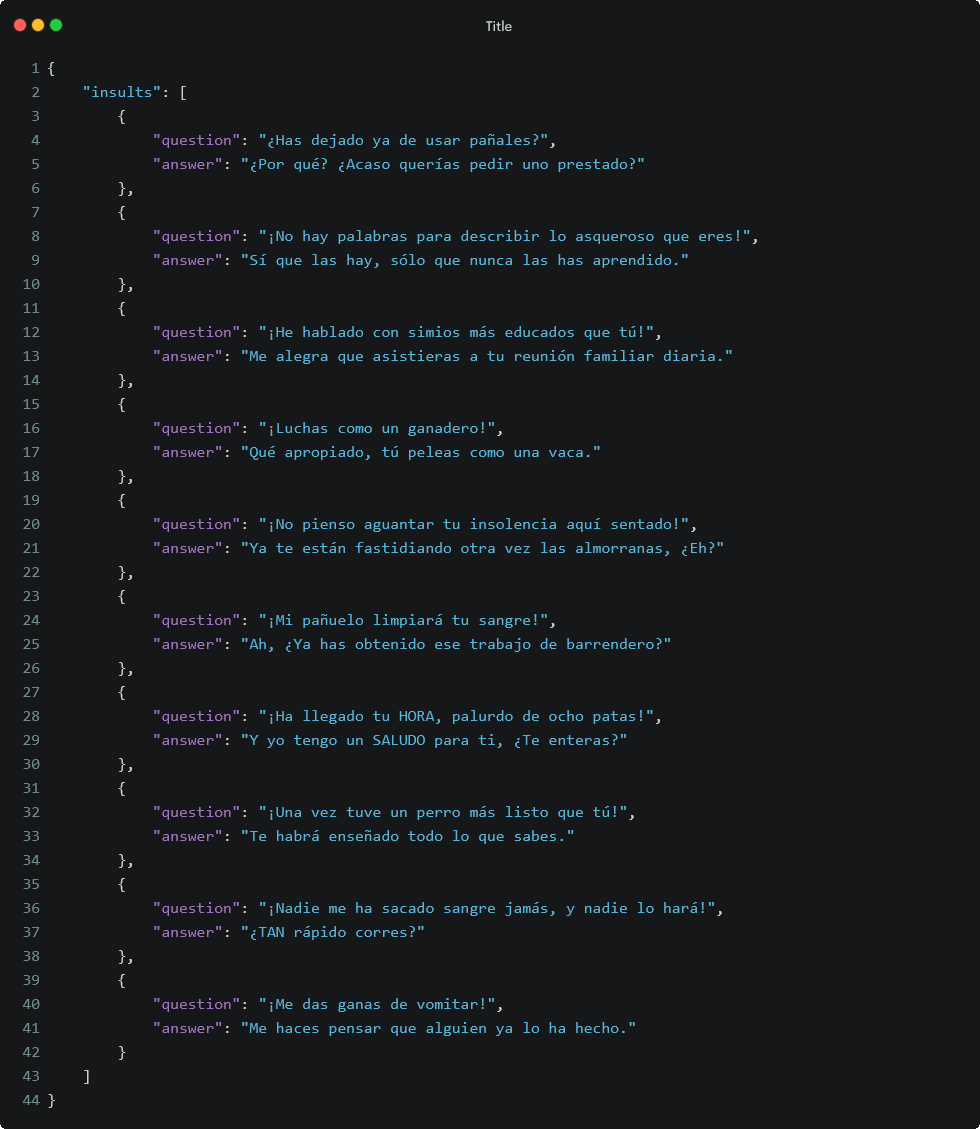
The project isolates the part that makes the original encounters memorable: the player does not win by choosing a stronger attack, but by recognising the right response and delivering it with the correct rhythm. The recreation therefore treats dialogue as the combat system rather than as text placed on top of it.
Dialogue architecture
A branching structure records which lines are available, which responses correctly counter them and how the exchange should advance. C# ScriptableObjects keep the dialogue content separate from the state manager, making the mechanic easier to extend without rewriting the resolution logic.

Timing challenge
The central presentation challenge was preventing a text-heavy exchange from feeling instantaneous or mechanical. A controlled delay system coordinates line length, reaction time and the transition to the next choice, allowing each insult and comeback to land before the interface advances.

Readable feedback
Retro styling is combined with restrained motion and sound cues so the player can follow the exchange without losing its comic rhythm. The finished study demonstrates branching dialogue, state-driven presentation and a narrative mechanic whose feedback is as important as its data structure.

Unity / C# · Solo project · 2 months
Overview
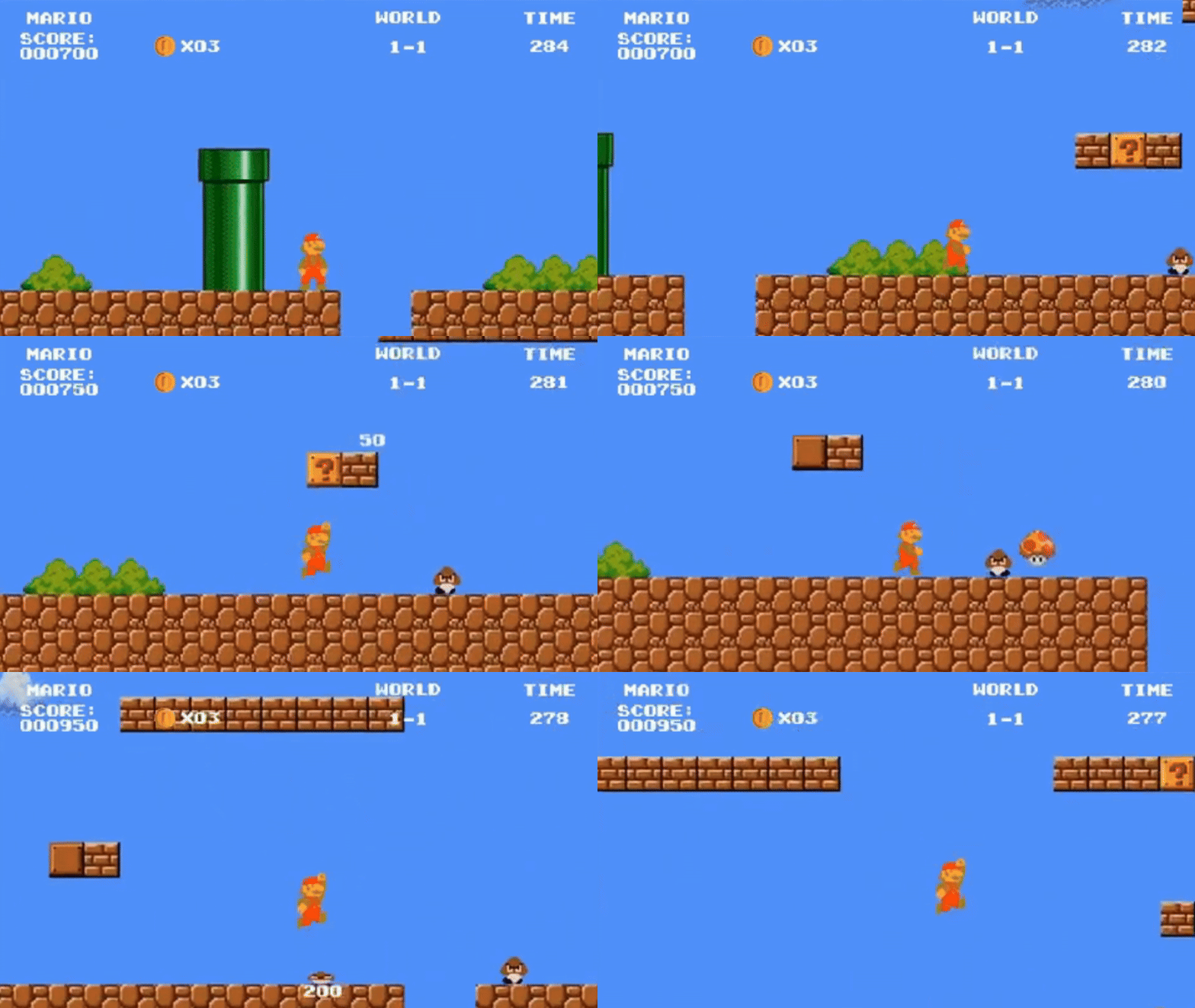
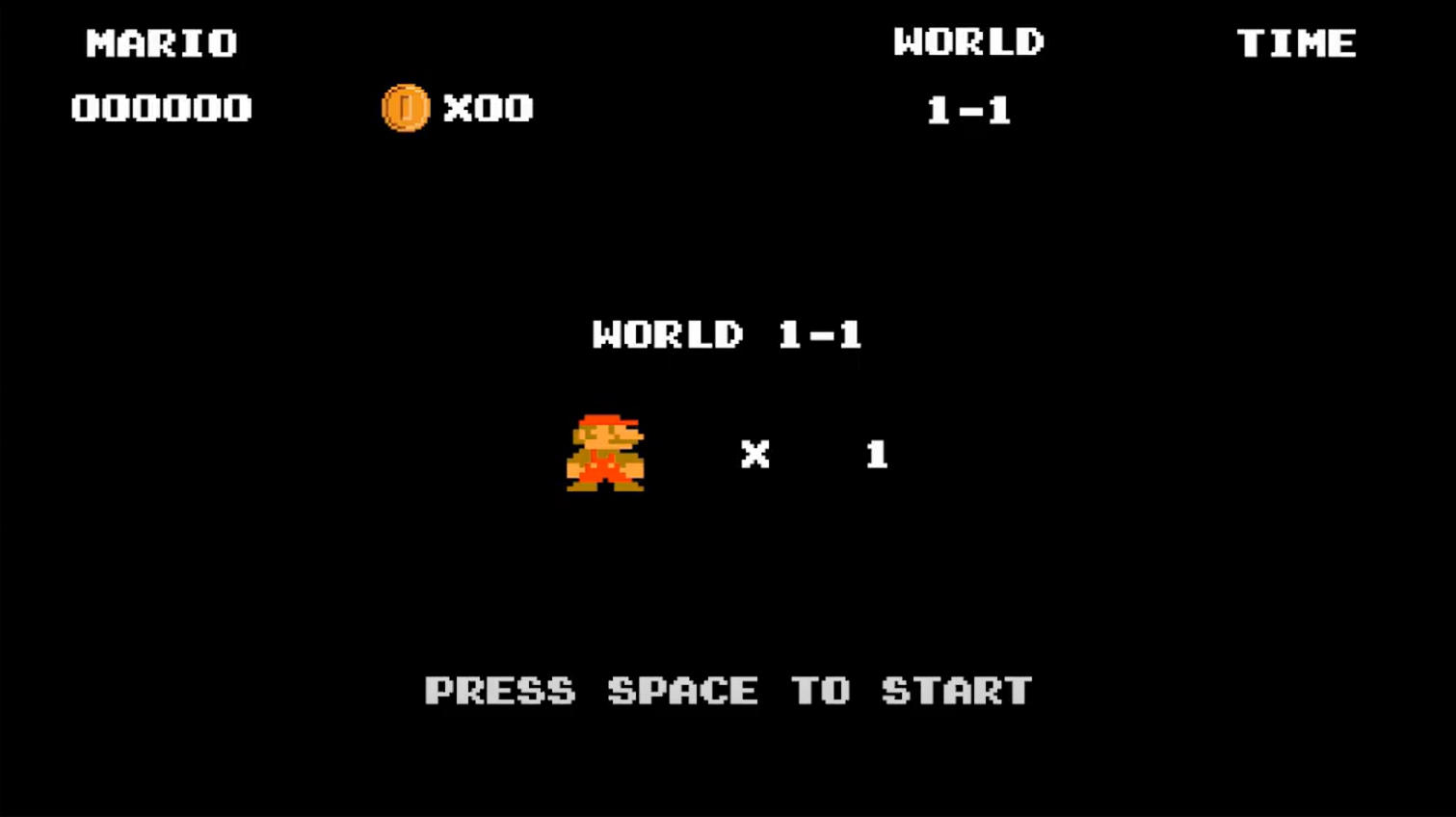
A recreation of the first level of Super Mario Bros using Unity and C#, preserving the original structure, visual rhythm and tightly tuned gameplay.
Movement study
The objective was to understand why the first Super Mario Bros level feels readable and responsive. That required treating acceleration, jump timing, collision and enemy behaviour as one connected movement system rather than reproducing the visuals alone.
Controller tuning
The main technical challenge was matching the balance between immediate input and airborne momentum. Grounded, sprinting and airborne states use customised acceleration, gravity and velocity limits so the controller remains precise without losing the slight float that defines the original feel.

Level rhythm
Blocks, pipes, gaps, enemies and power-ups were rebuilt tile by tile from gameplay references. Recreating their exact order exposed how the level introduces one idea at a time, repeats it safely and then combines it with a new risk.

Visual accuracy
The score, coins and timer retain the original hierarchy, while sprite scale and pixel alignment are kept consistent across the recreated scene. The result is a technical study that demonstrates how movement, level design and presentation work together to create a recognisable game feel.

Unity / C# · Solo project · 2 months
Overview
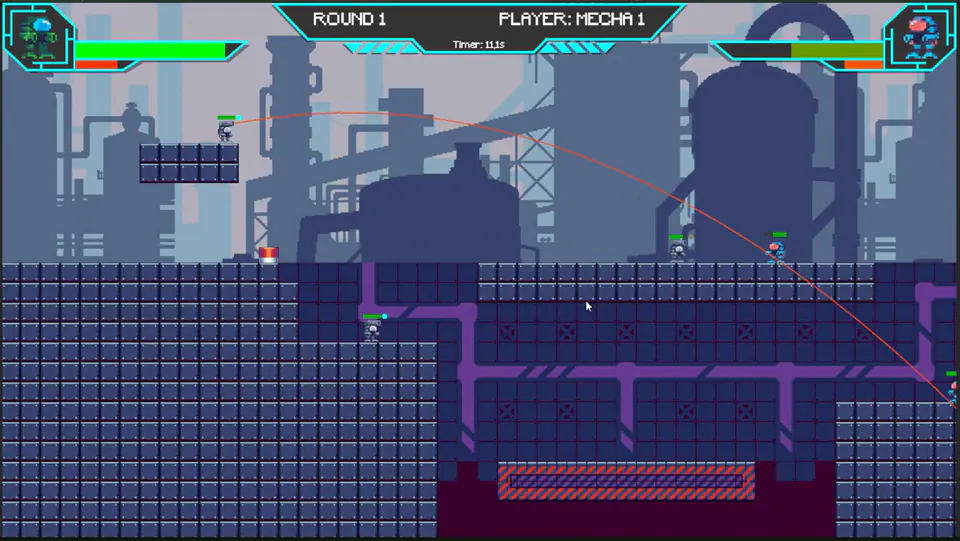
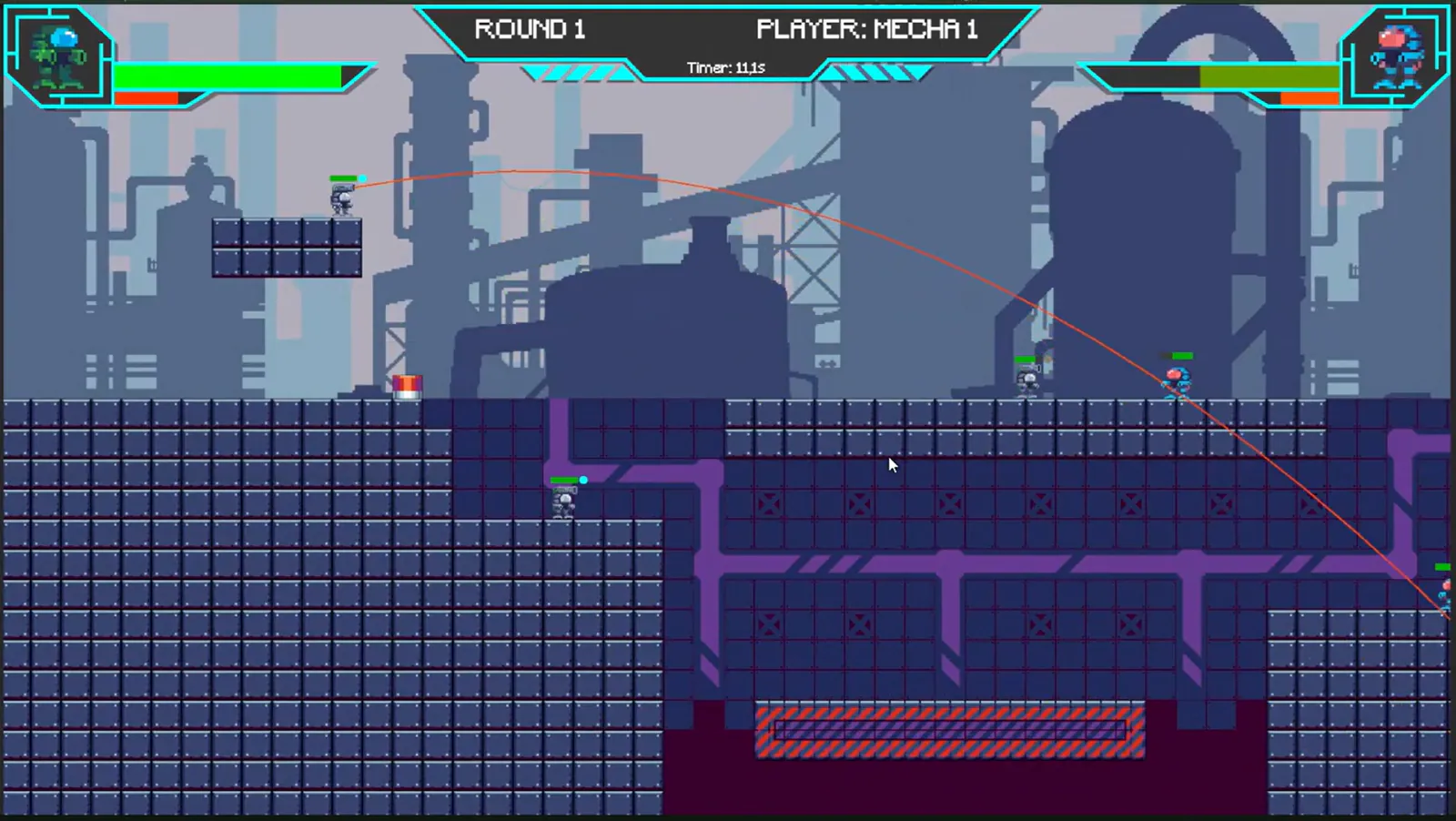
A turn-based combat game inspired by classic artillery titles, featuring customisable mechs, tactical decisions, destructible terrain and physics-driven projectiles.
Tactical premise
Mecha Fight explores an accessible artillery-style loop where movement, weapon choice and terrain awareness matter before the projectile is fired. The goal was to keep the rules readable while allowing the battlefield to change throughout the match.
Aiming challenge
Custom weight, friction and projectile values create distinct movement and firing behaviour. An aim-assist path previews the likely direction of the shot, but still leaves power, angle and tactical timing under player control.

Destructible terrain
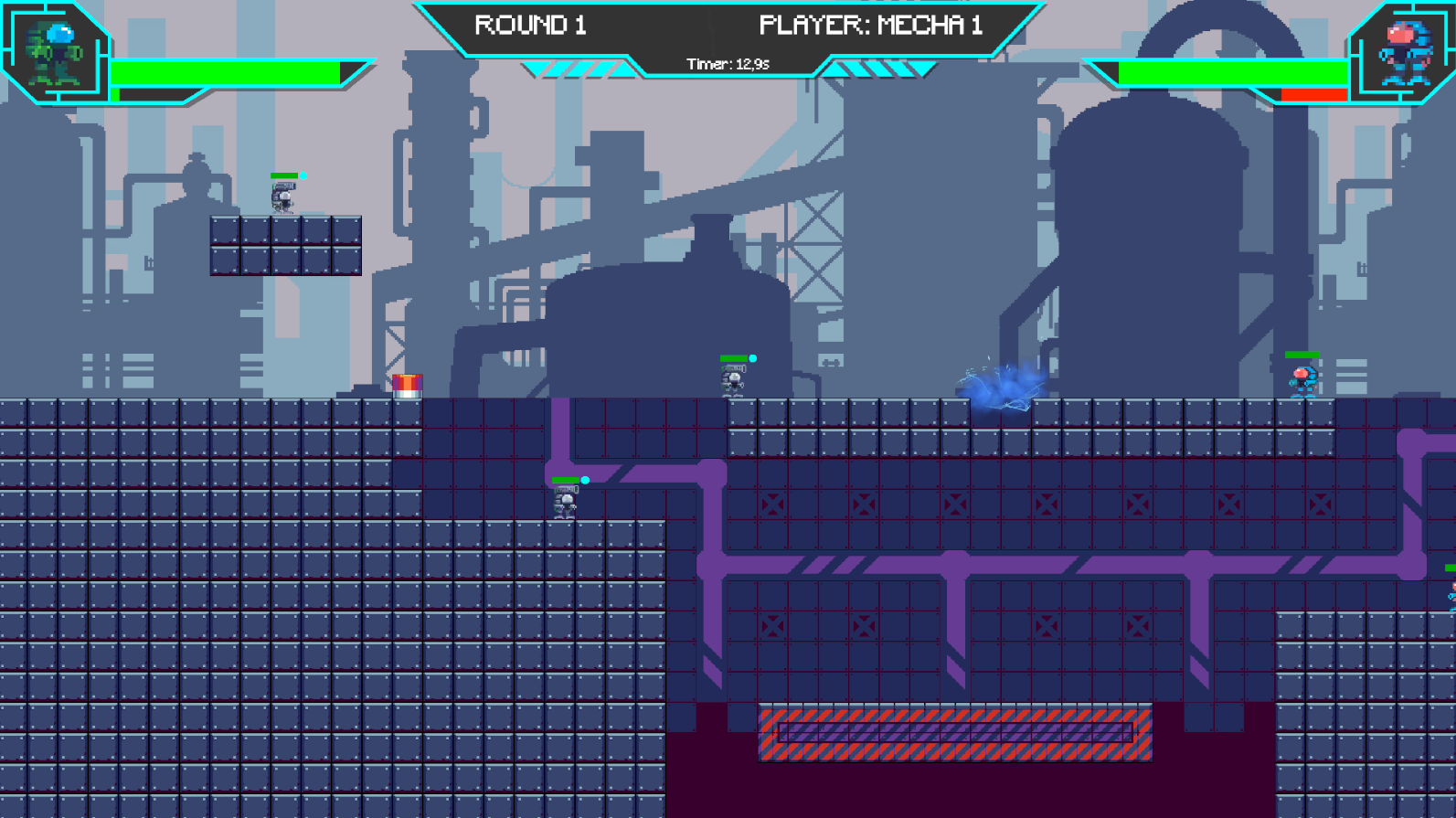
Projectiles remove tiles inside a configurable impact radius. Because destruction persists, a successful attack also becomes a level-design event: it can expose a mech, open a route or remove the ground needed for a later turn.

Turn readability
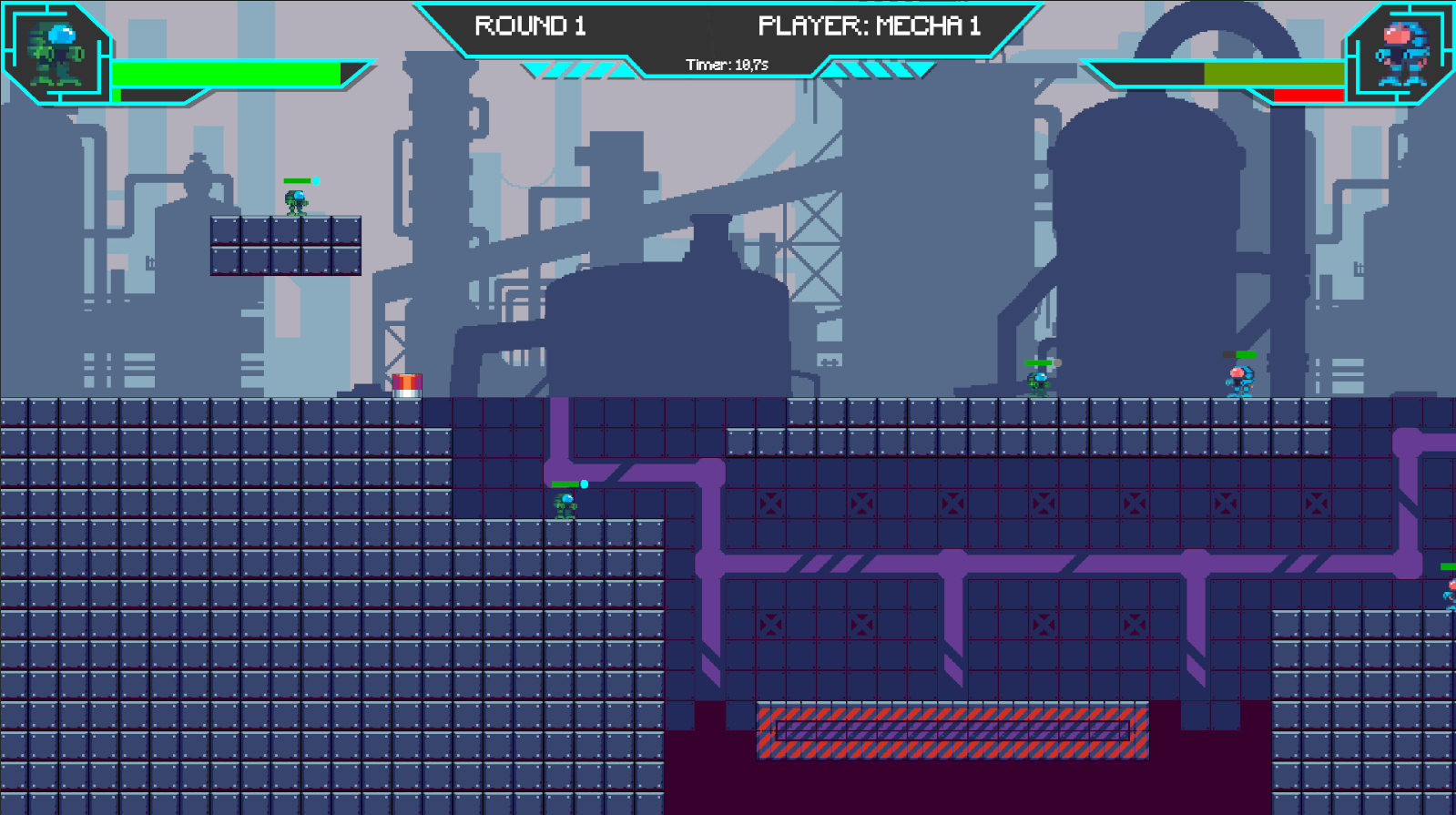
The HUD prioritises health, available actions and turn information using a compact industrial language. Together with modular abilities and visible projectile feedback, it keeps the player oriented while physics and destruction continuously modify the arena.

Unity / C# · Solo project · 2 months
About
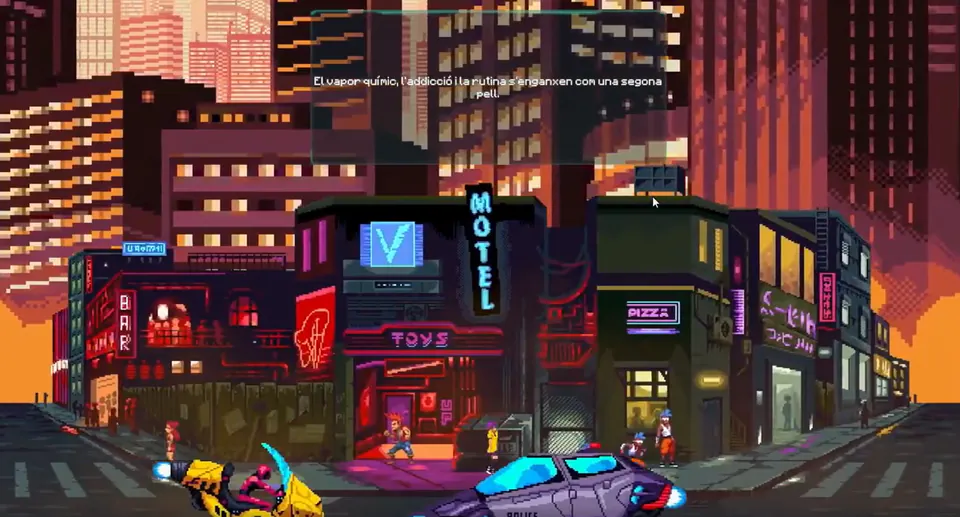
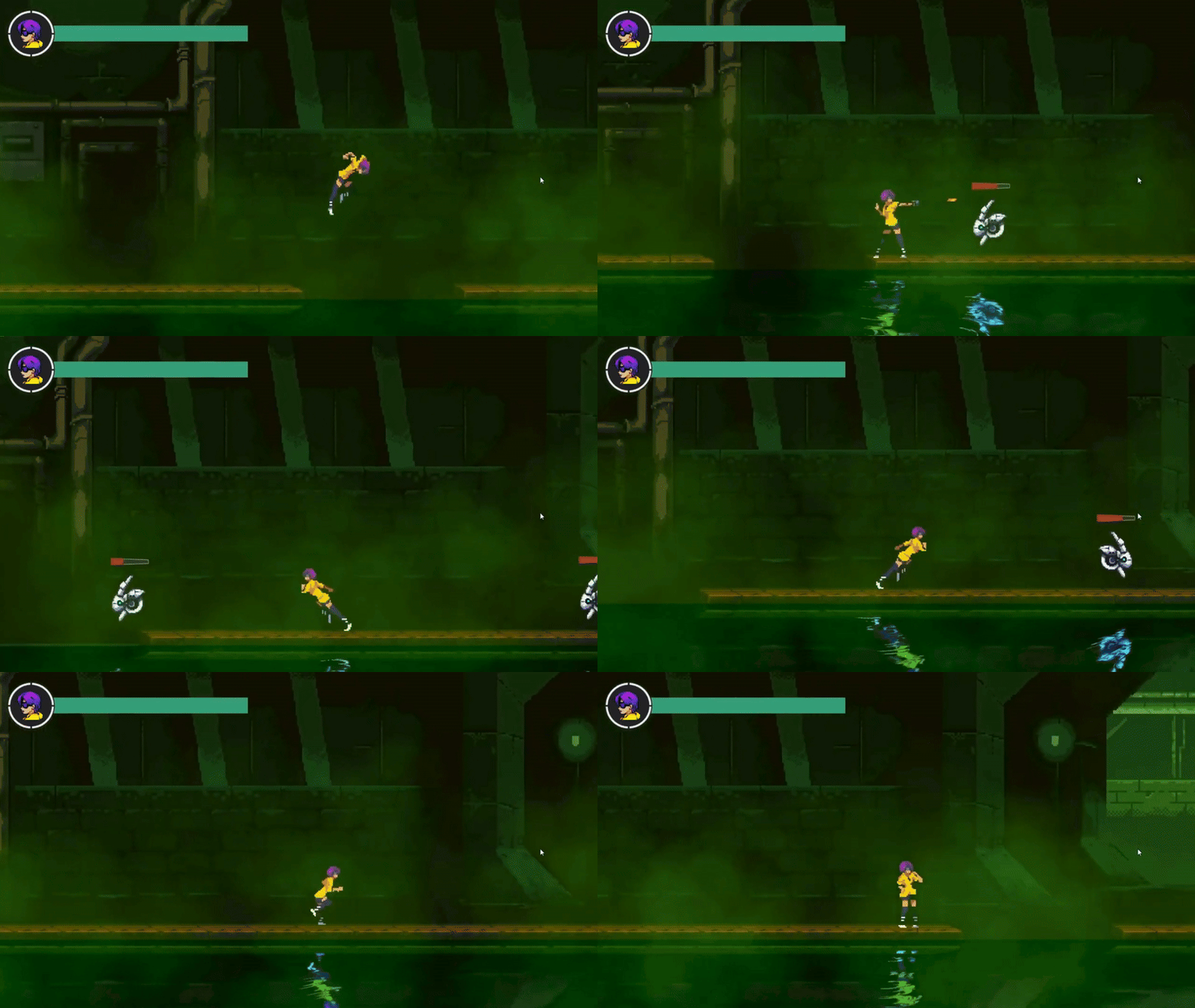
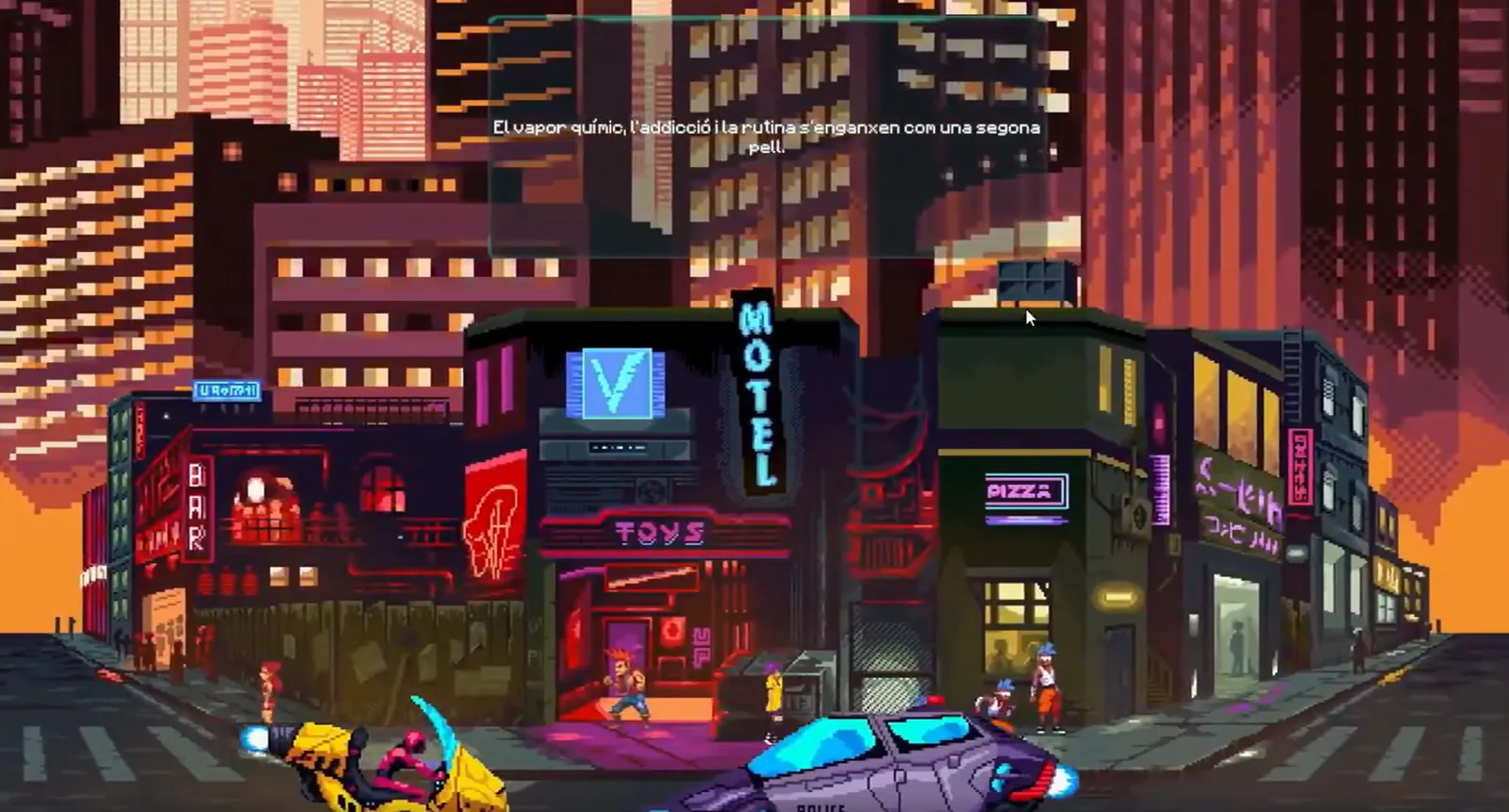
A narrative 2D action platformer set in a cyberpunk world of moral choices and memory manipulation. The player controls Nova, a rogue detective confronting Project SOMA and her sister Astra.
Theme
SOMA began as a storytelling experiment about identity. Player decisions shape Nova’s relationships, moral position and the revelations she encounters.

Combat pressure
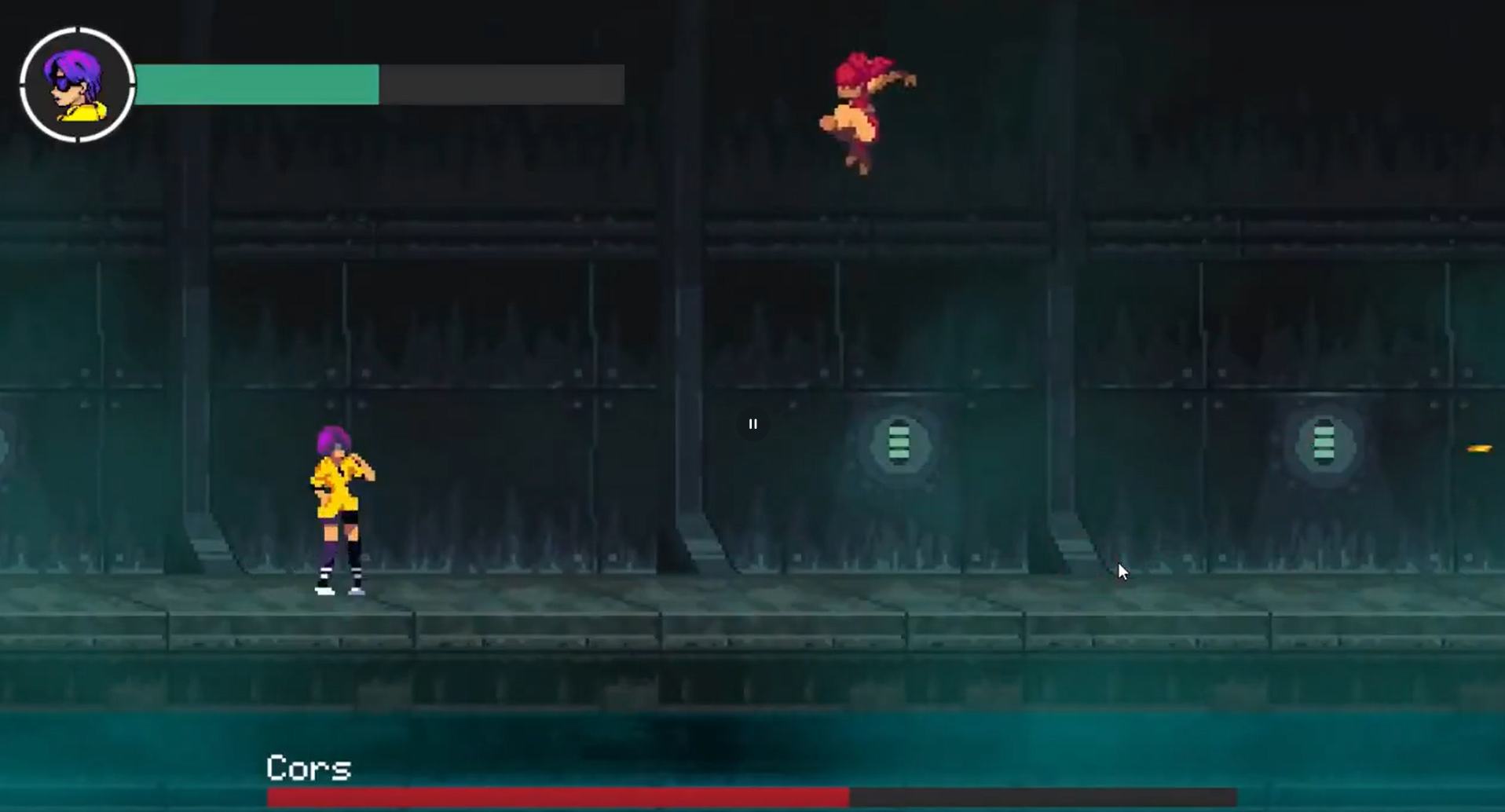
Combat combines projectile attacks and evasive movement against aggressive AI. Bosses such as Cors and Astra introduce phase-based encounters that ask the player to adapt.

Player voice
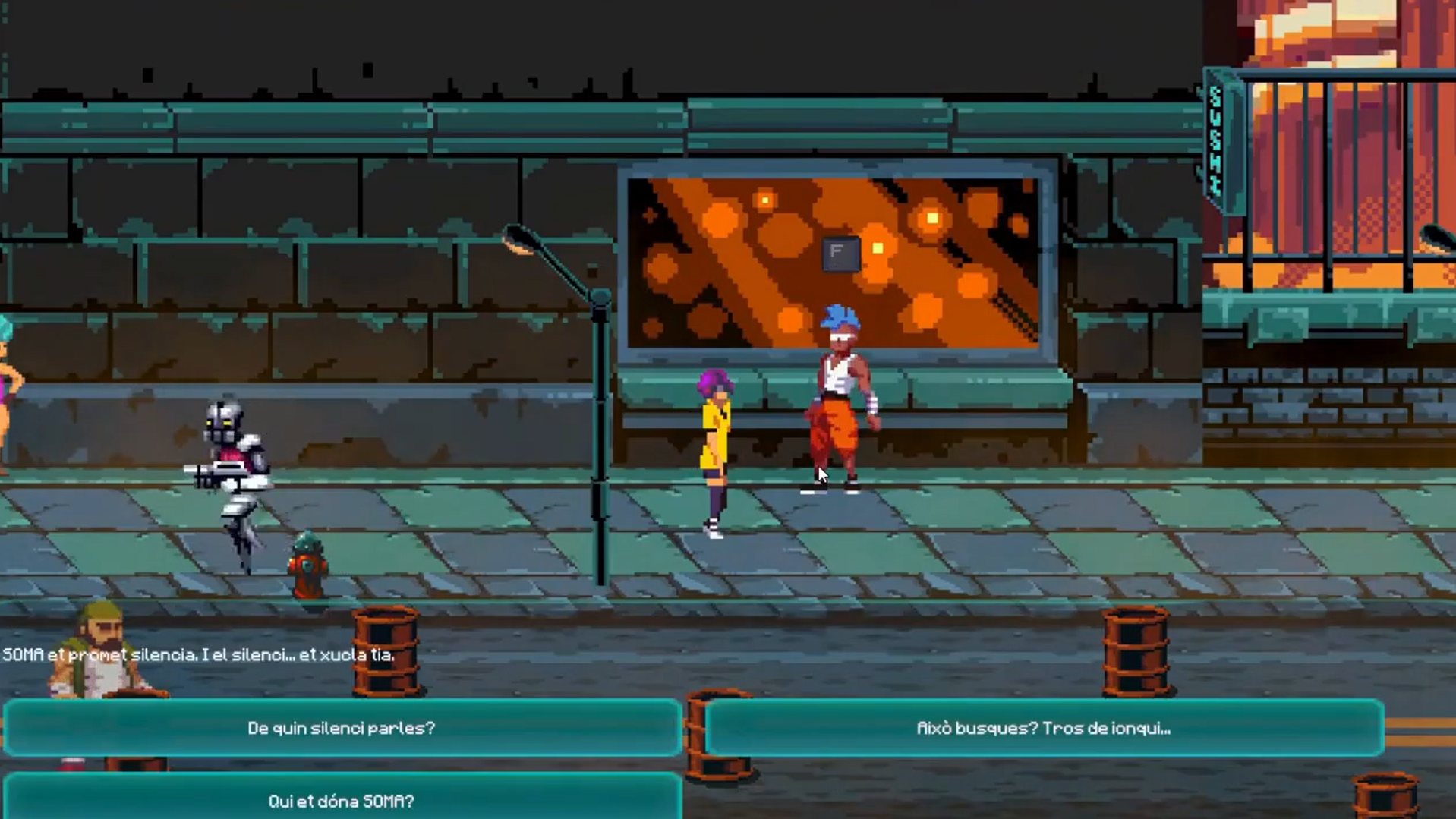
Branching conversations allow the player to define Nova’s responses and influence her relationships. Typing effects, fades and internal monologues support the tone of each scene.

Dramatic rhythm
Scripted transitions, fades and controlled scenes shape pacing without separating narrative from play.

Atmosphere
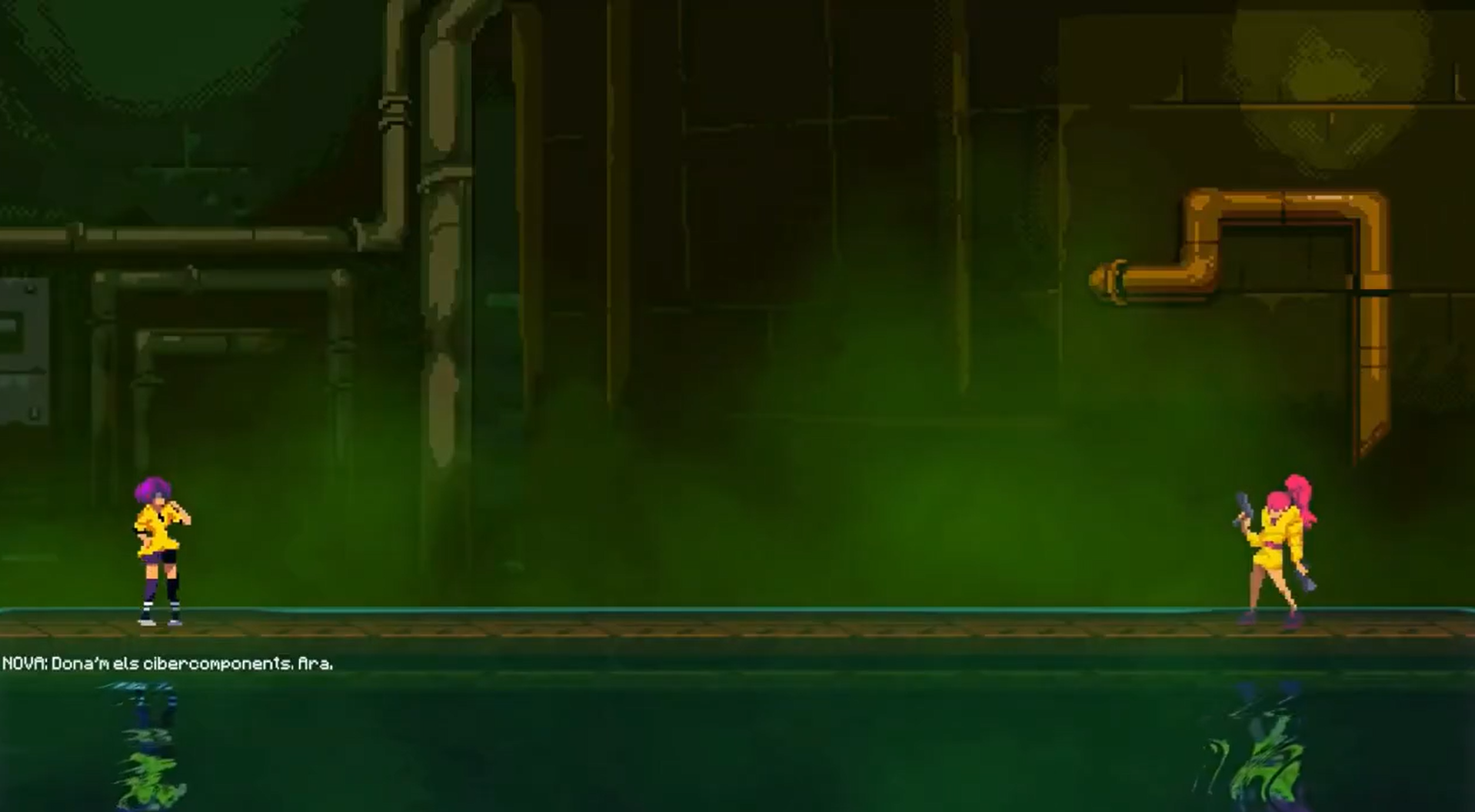
Pixel art, fog particles, animated water and reflective surfaces establish the cyberpunk atmosphere. A custom audio manager handles ambience, enemies, interface sounds and dialogue typing.

Integration
SOMA brought together modular development, combat, interactive storytelling, animation, audio management and scene transitions in one coherent project.
Outcome
A cohesive narrative action prototype combining combat, dialogue, boss encounters, scripted scenes and environmental atmosphere.
My contribution
Solo design, writing and programming, with responsibility for the systems that connect player choice, combat and presentation.
What comes next
A future iteration would deepen the consequences of dialogue choices, refine combat encounters and expand the world beyond the current prototype.
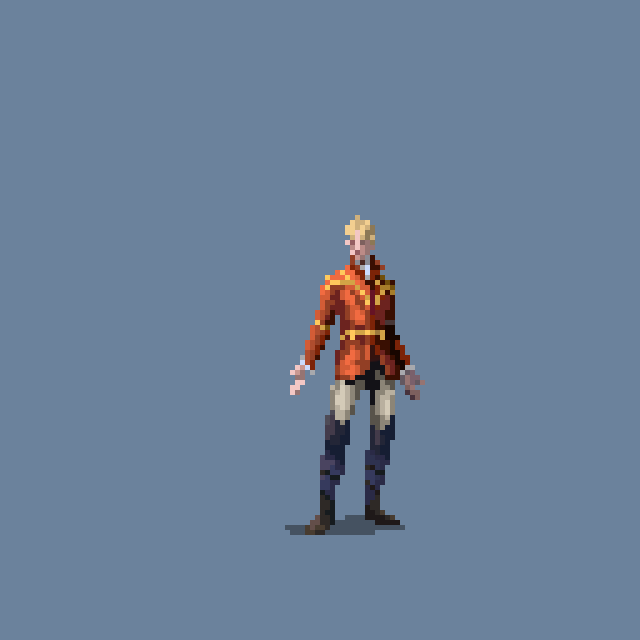
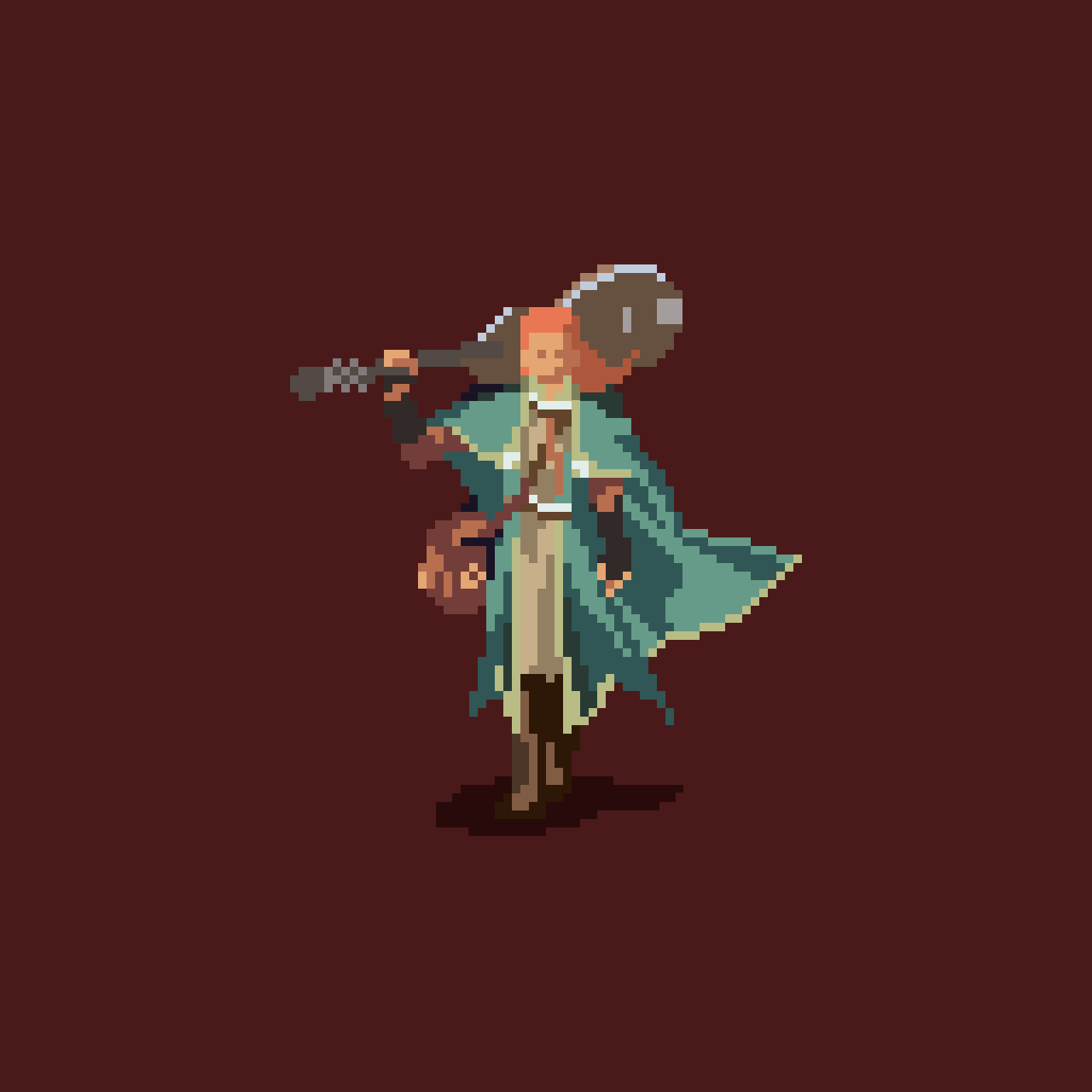
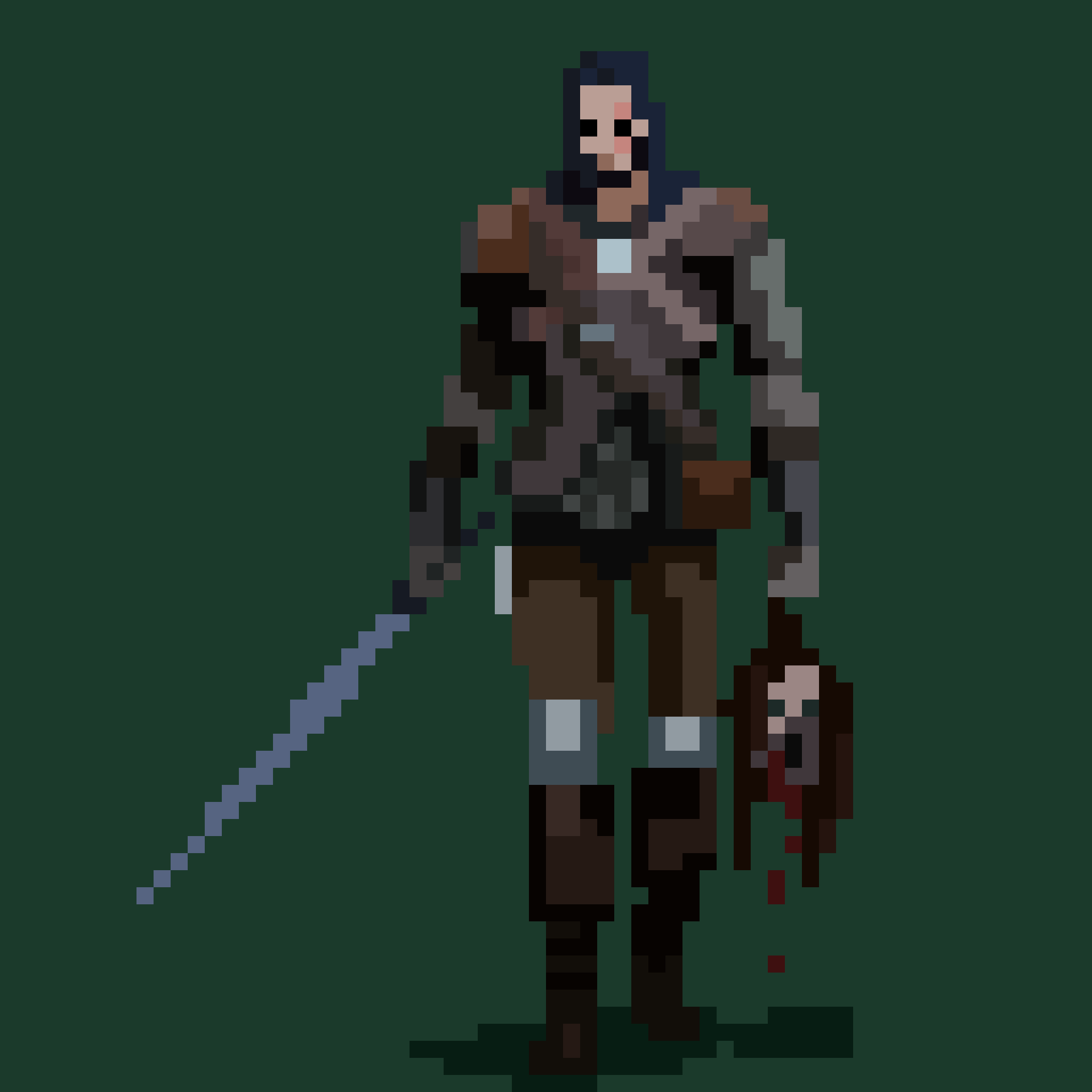
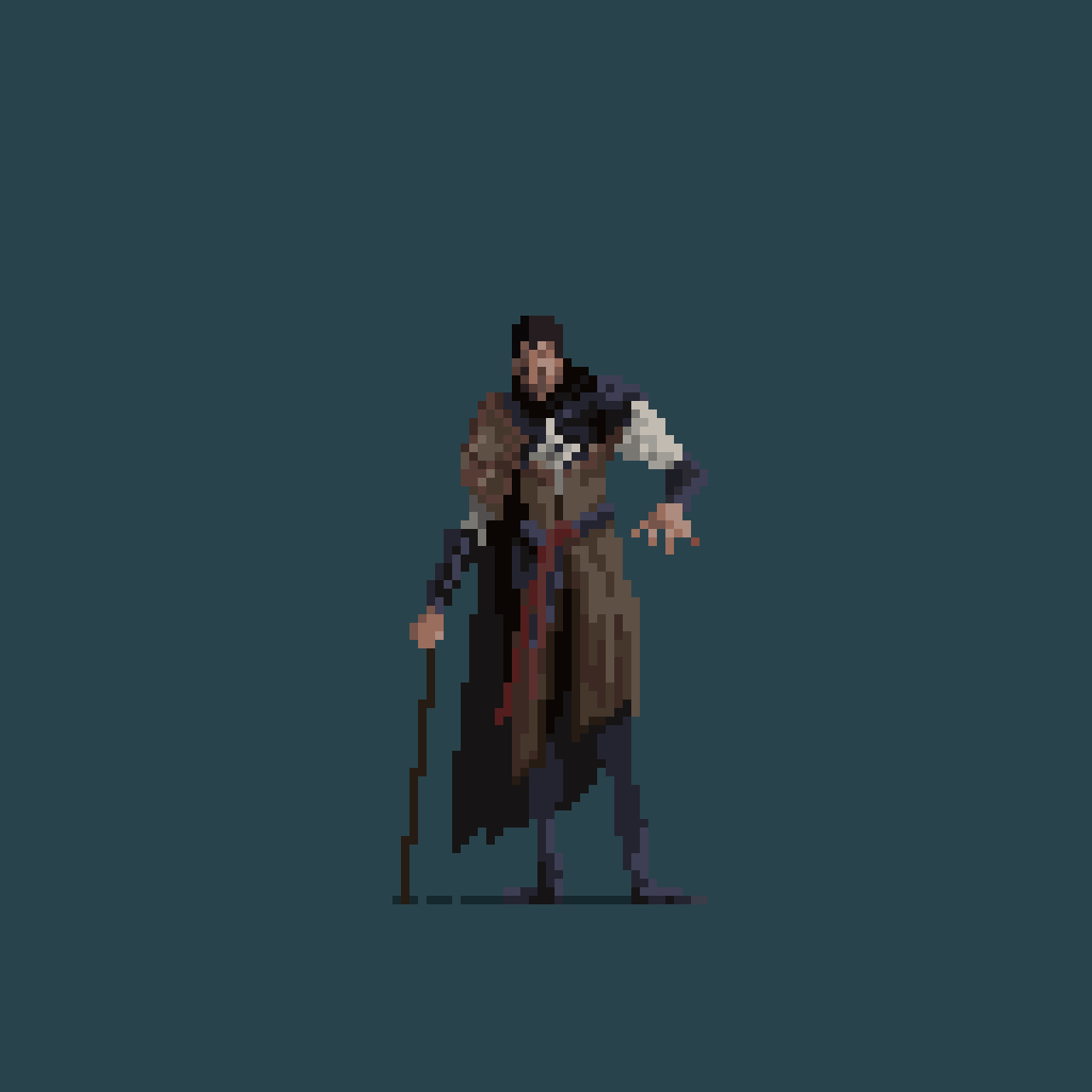
Aseprite · Character design · 7 days
Concept
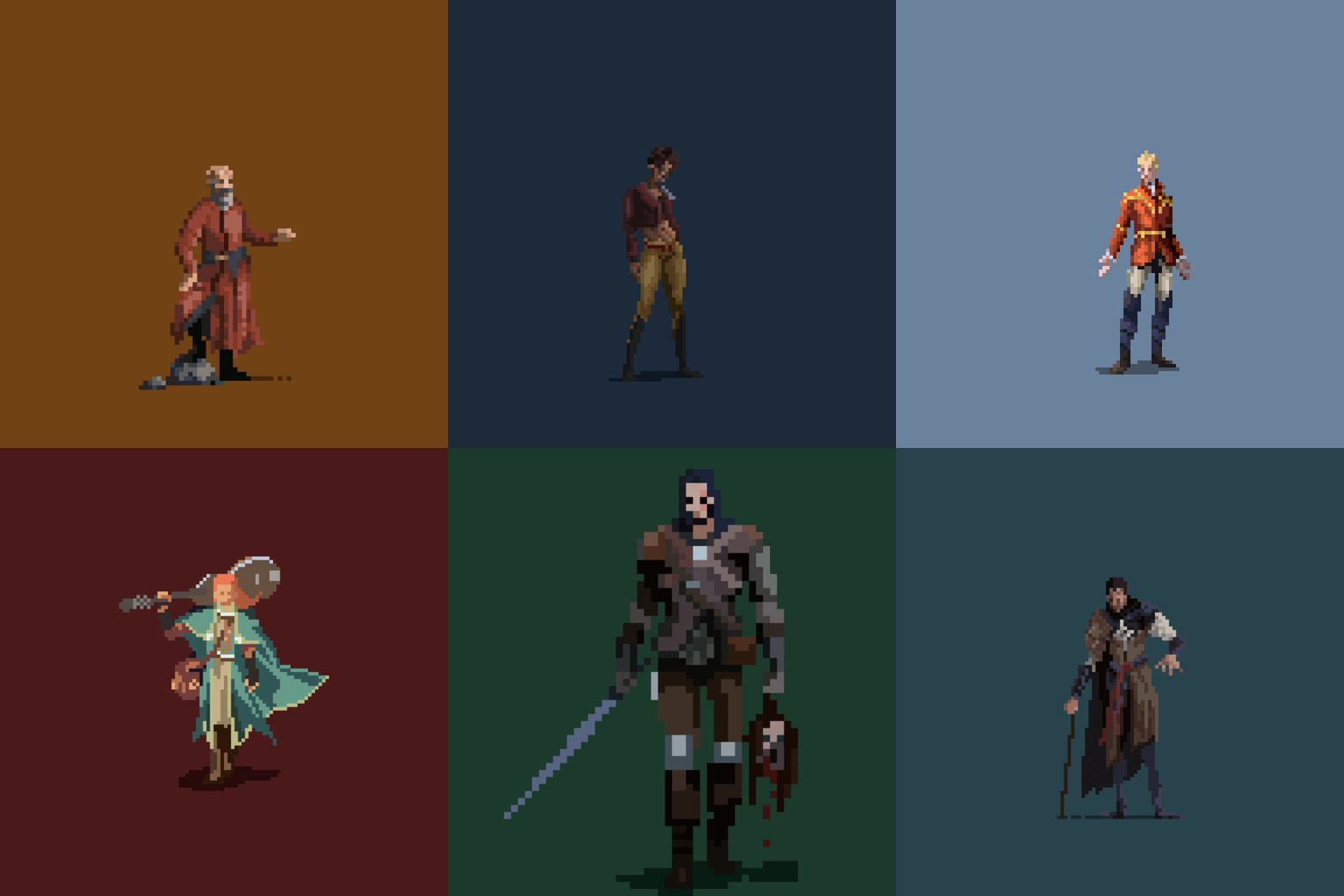
A pixel-art collection inspired by fantasy literature. Each sprite translates a recognisable character into a limited visual language built around silhouette, posture, palette and a few defining details.
Character set
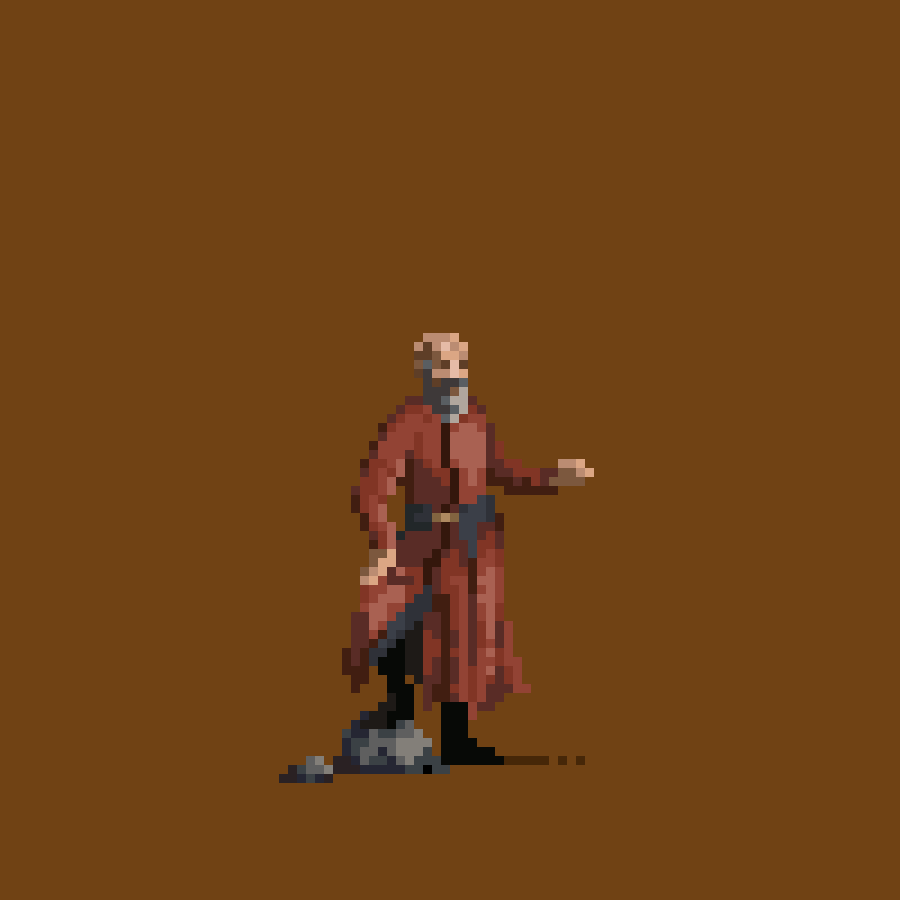
The First of the Magi: brilliant, manipulative and intimidating beneath a composed exterior.
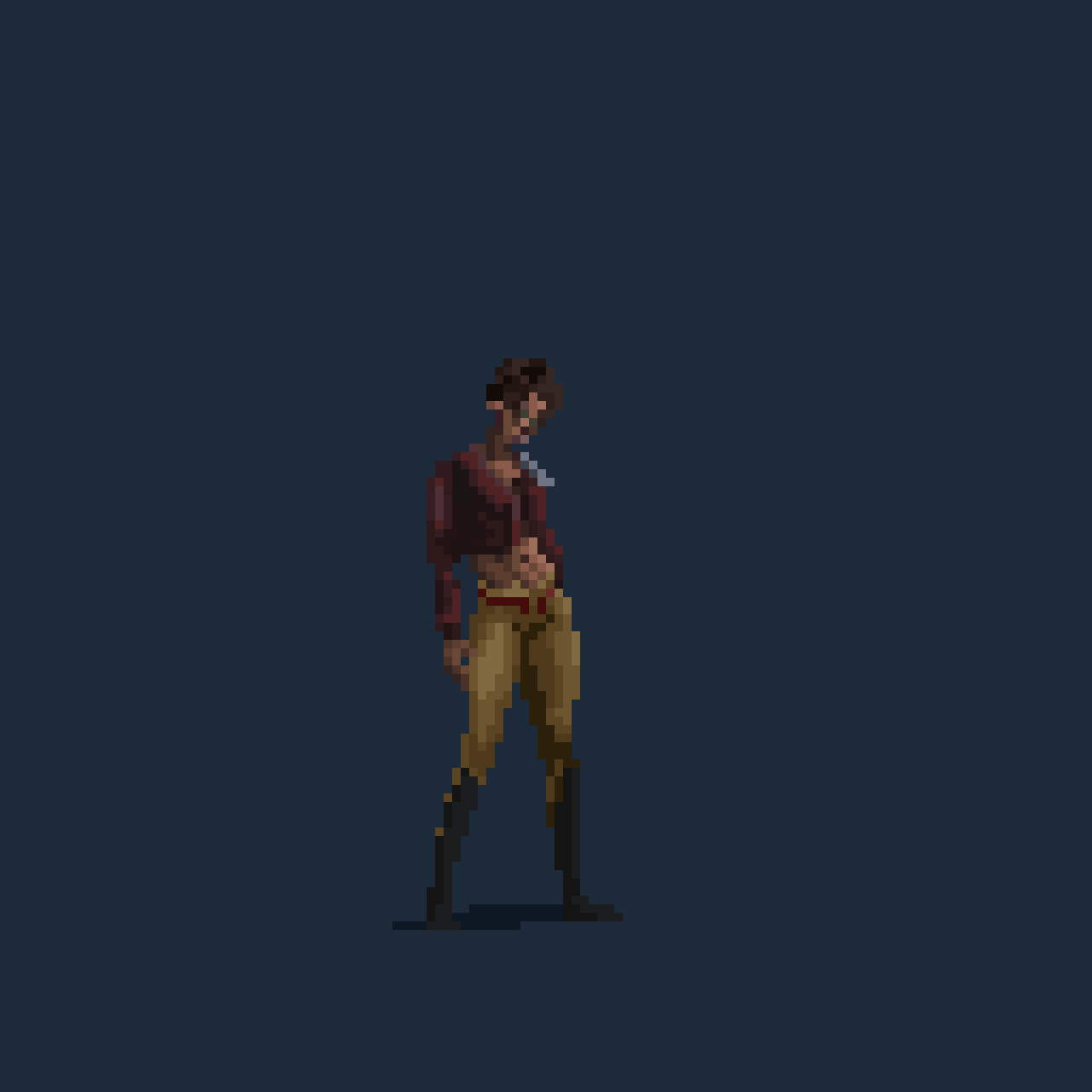
A relentless warrior driven by vengeance, communicated through stance and restrained colour.
An arrogant noble whose polished appearance contrasts with the uncertainty beneath it.
A gifted musician, magician and swordsman represented through a confident, theatrical silhouette.
The Bloody-Nine: a hardened warrior whose heavy silhouette carries a violent history.
An inquisitor defined by physical damage, sharp intelligence and an unmistakable crooked posture.
Tools
Aseprite · Pixel art and pose exploration
References
The First Law · The Kingkiller Chronicle
Focus
Clean silhouettes, unique palettes and expressive poses.
Aseprite · Character design · 7 days
Concept
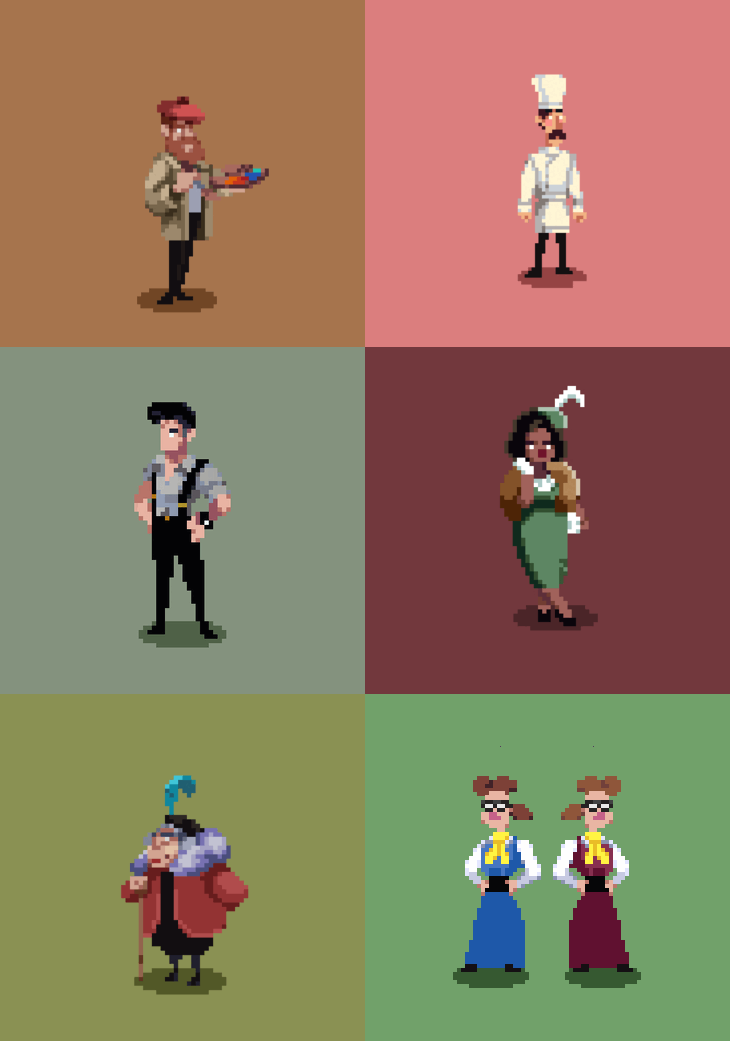
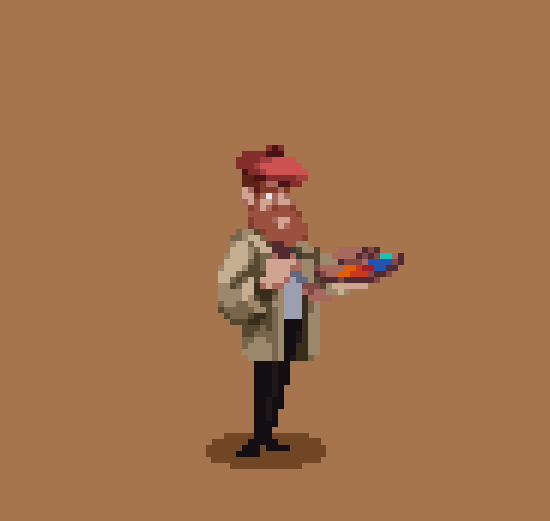
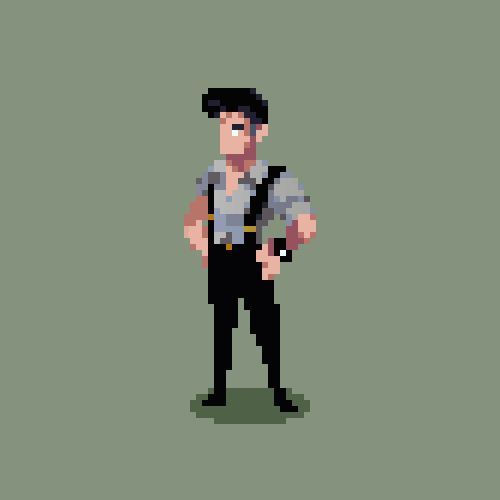
A mystery cast designed as readable archetypes. Costume, posture and silhouette do most of the storytelling, giving each figure an immediate role while leaving room for suspicion.
Cast
A bohemian painter with a sharp eye for colour and gossip.
A perfectionist whose temper is as hot as the kitchen.
A deal-maker with grand plans and more confidence than certainty.
An influential landlord accustomed to controlling the room.
Pampered, clever and more observant than people expect.
An inseparable pair with a talent for coordinated mischief.
An eccentric matriarch with a cane and a sharper wit than she reveals.
A street-smart investigator guided by instinct and accumulated evidence.
Impeccable manners, impeccable alibis and an unreadable expression.
Tools
Aseprite · Pixel art and character exploration
Focus
Silhouette, costume, personality and visual contrast.
Aseprite · Visual development · Game in progress
Concept
Sentient is a game in development. This portfolio entry focuses on the visual direction currently ready to share: player units, enemies, NPCs and the retro-futuristic world they are being designed to inhabit.
Game cast
An agile protagonist designed for clear motion and fast-paced encounters.
A towering sentient AI presence built around scale, symmetry and area attacks.
A compact, enigmatic figure who guides the player through cryptic messages.
A grounded combat unit equipped with a flamethrower and a heavy industrial silhouette.
A scouting unit that attacks through ground spikes and low, compact movement.
Tools
Aseprite · Pixel art and animation
Art direction
Retro-futurism, readability and role distinction.
Production goal
Sprites that remain legible at small in-game sizes.

Blockbench · Prop set · 1 day
Overview
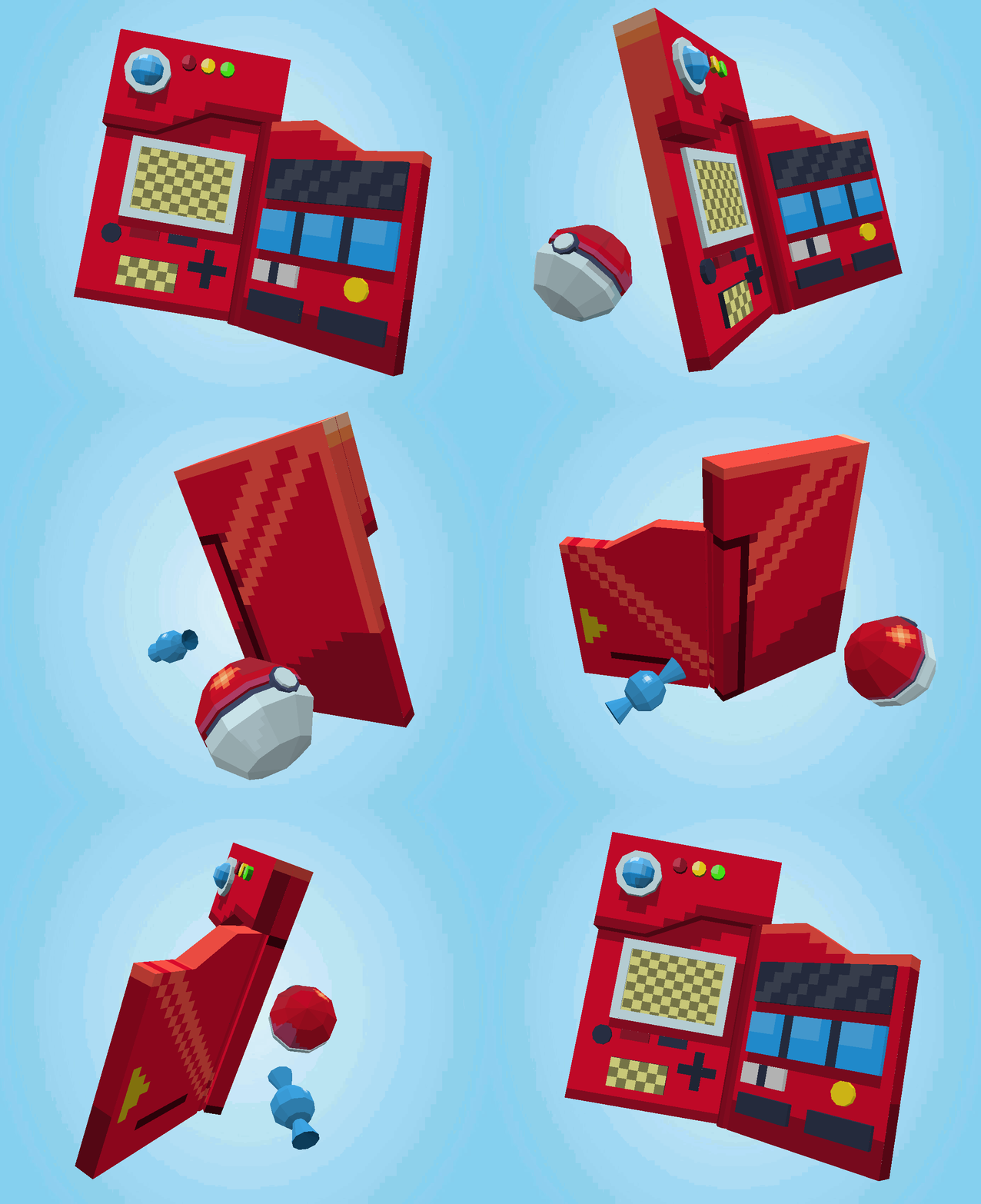
A compact low-poly prop study translating familiar item shapes into a simplified real-time style. The focus is immediate recognition with minimal geometry.
Focus
Readable silhouettes and compact geometry.
Approach
Simple forms, restrained detail and strong colour blocking.
Use case
Real-time games and stylised scenes.

Blockbench · Helmet · 2 days
Overview
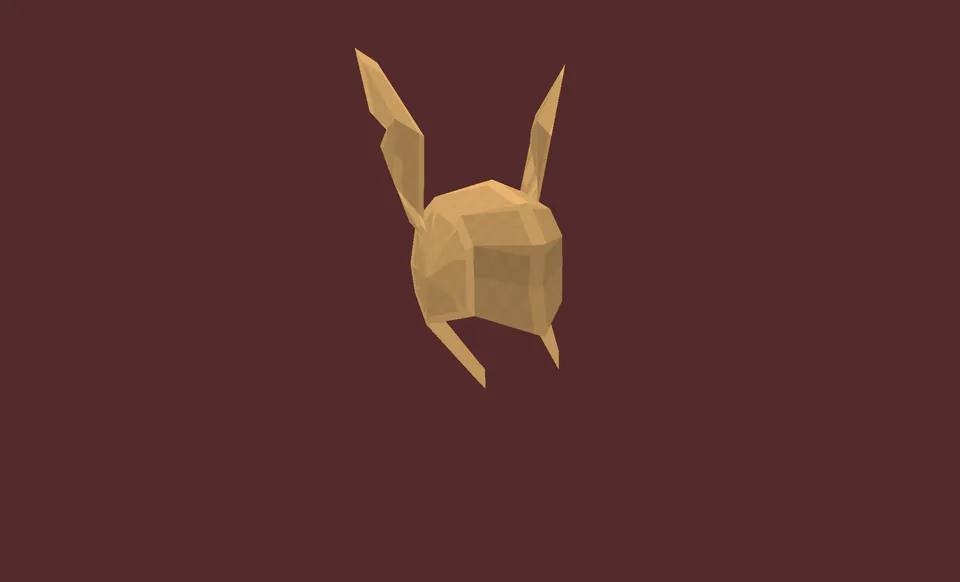
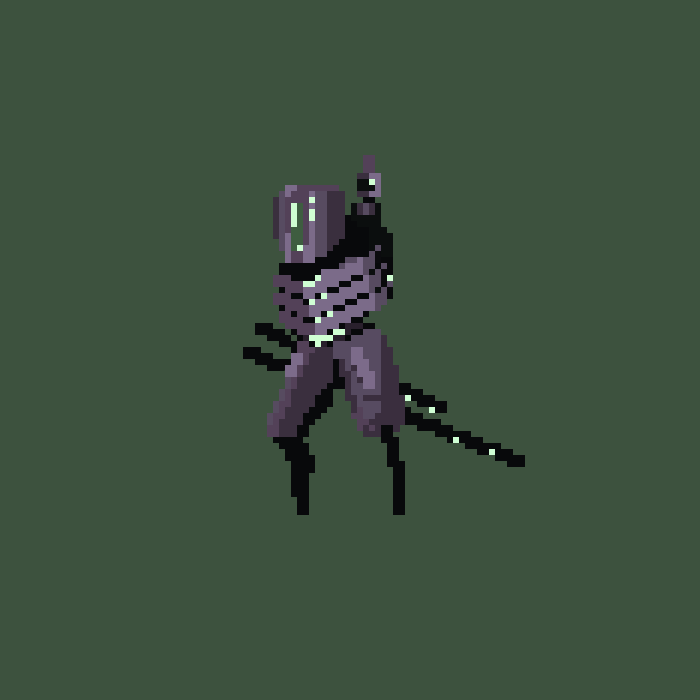
A low-poly recreation of Malenia’s winged helmet, prioritising the recognisable profile, layered metal forms and ornamental rhythm while keeping the model economical.
Focus
Iconic silhouette and layered construction.
Challenge
Simplifying ornamental forms without losing identity.
Style
Stylised low-poly interpretation.
React · TypeScript · Supabase · Cloudflare · Offline-first PWA
Overview
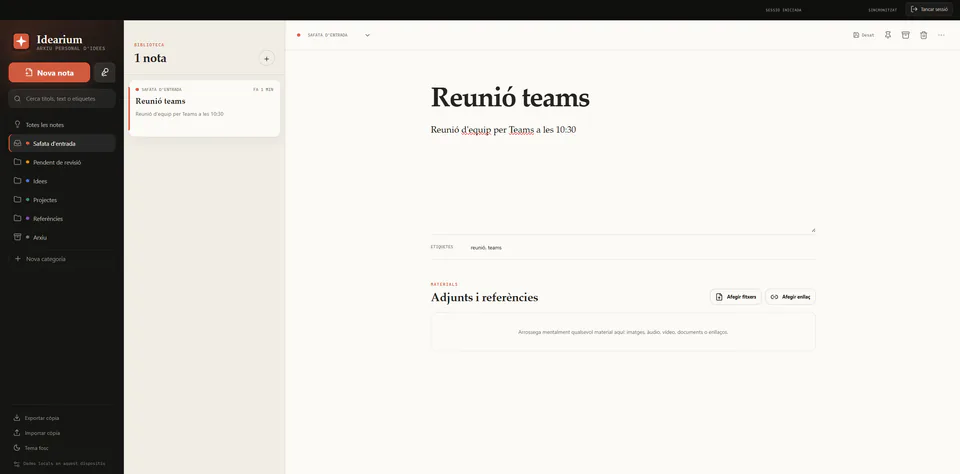
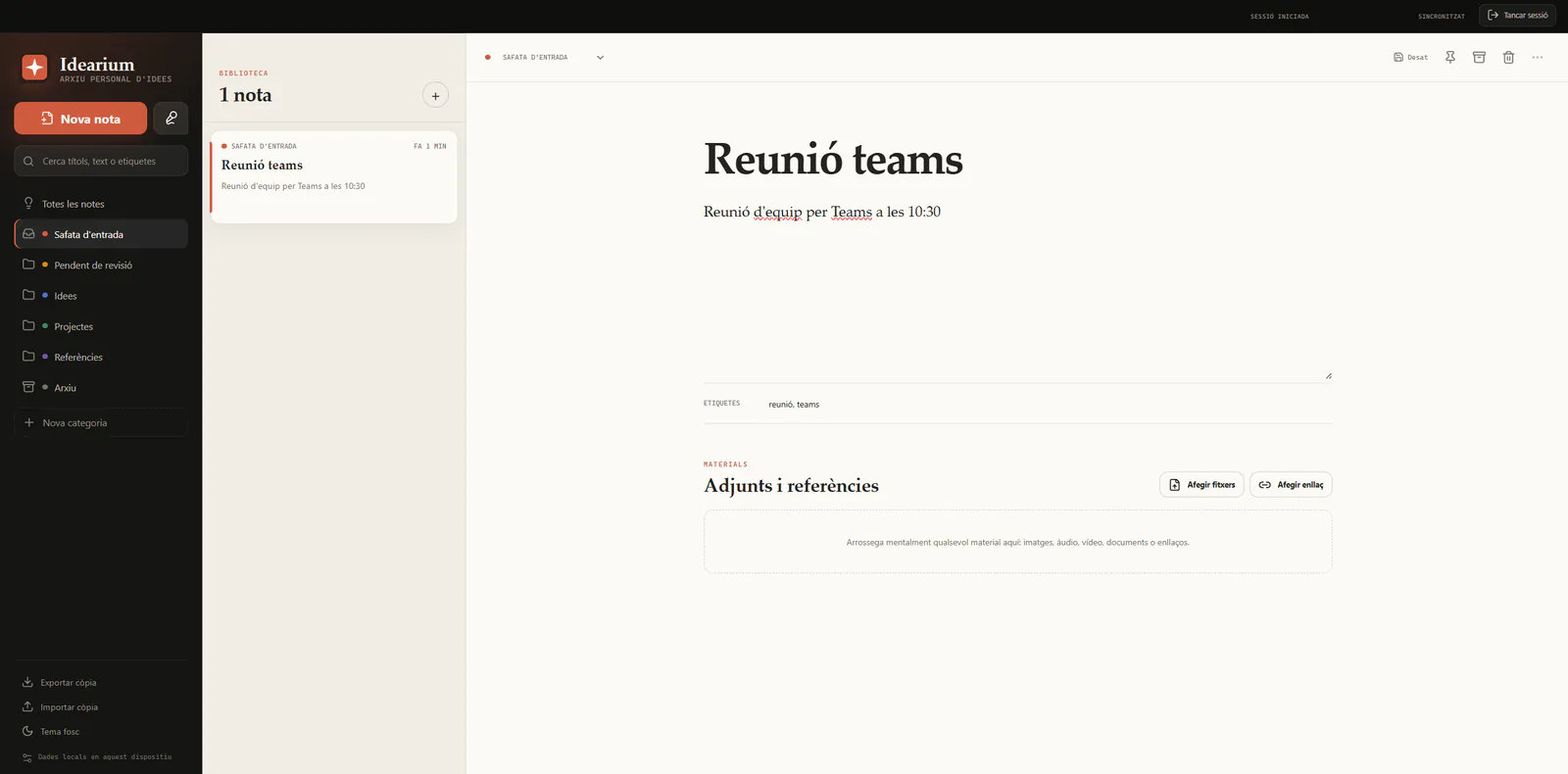
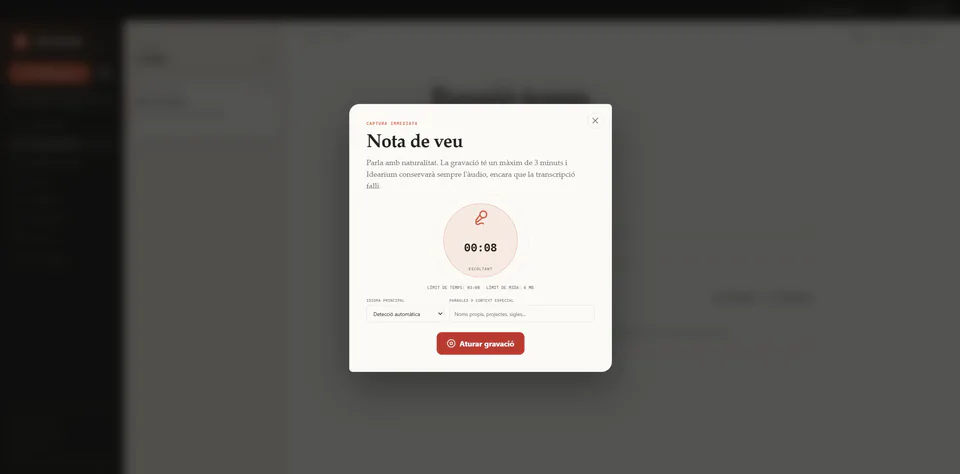
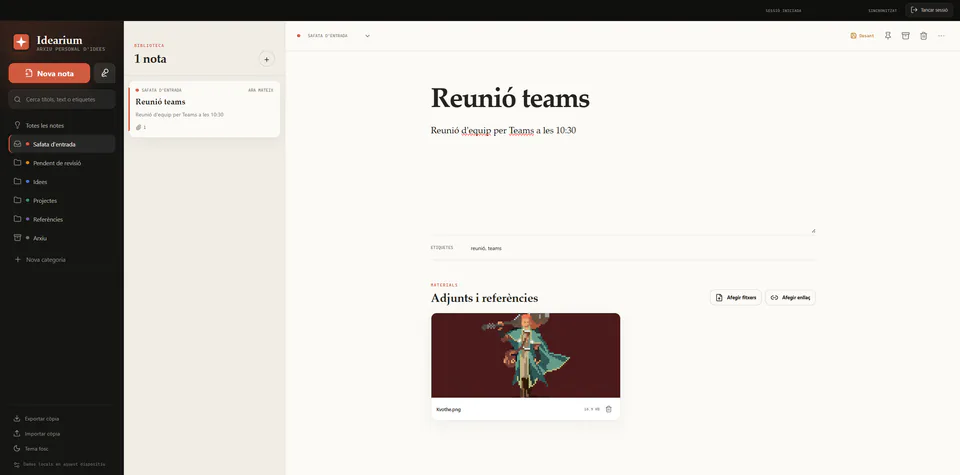
Idearium is a private, offline-first workspace for capturing ideas before they disappear and developing them later through text, voice notes, categories, tags and attached material. Local persistence keeps the product responsive and usable without a stable connection, while Supabase synchronises the same personal workspace across devices.
The public deployment supports authenticated accounts, private synchronisation, encrypted transport, installable PWA behaviour and server-side voice transcription.
Problem
Useful thoughts often appear as unfinished sentences, quick recordings, references or files. Traditional note products make capture easy but frequently separate voice, materials and later organisation into different workflows. Idearium was designed around one continuous process: capture first, review later and preserve the original context throughout.
Capture workflow
The main interface combines categories, a searchable note list and a focused editor. Notes can be pinned, tagged, moved between states and enriched with images, documents, links, video or audio without turning the product into a document-management system.
Voice transcription
The recorder captures audio in the browser, lets the user choose a language or automatic detection, and accepts optional context for names or specialist terms. A protected Cloudflare Pages Function validates the Supabase session before sending the recording to Workers AI. Failed requests preserve the audio and can be retried safely from the note.
Offline-first architecture
Each authenticated account receives its own Dexie database in IndexedDB. Interface operations write locally first, while synchronisation metadata records what still needs to reach the cloud. This keeps editing immediate, avoids blocking the product on network latency and allows pending work to continue after a temporary disconnection.
Every account uses an isolated local database instead of sharing one browser-wide workspace.
Notes, categories and attachments retain their local state until synchronisation succeeds.
Overlapping changes create a recoverable conflict copy rather than silently discarding work.
Pending operations resume when the browser returns online and the session remains valid.
Private synchronisation
Supabase Auth identifies the active account, PostgreSQL stores structured records and Row Level Security limits every query to the authenticated owner. Binary attachments use a private Storage bucket organised by user, note and attachment identifiers. The same workspace can therefore be reconstructed on another device without exposing files publicly.
Attachments and recovery
Images, audio, video, documents and links are represented as first-class attachments. Binary content is cached locally for later access and stored remotely in a private bucket. Full JSON exports include note data and encoded attachment content, making it possible to restore the workspace without creating duplicate remote records.
Responsive product
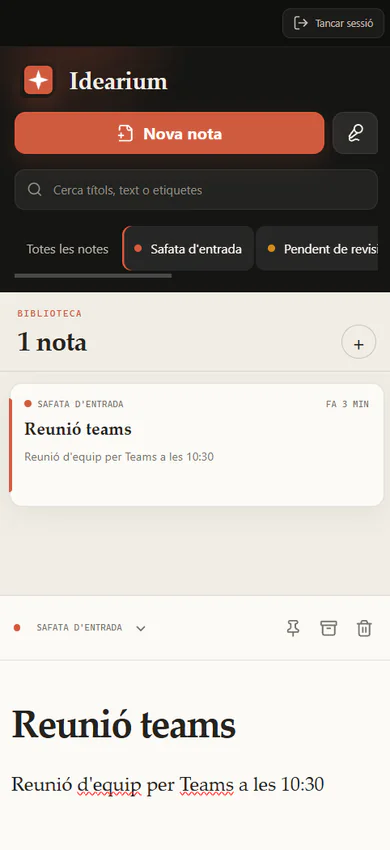
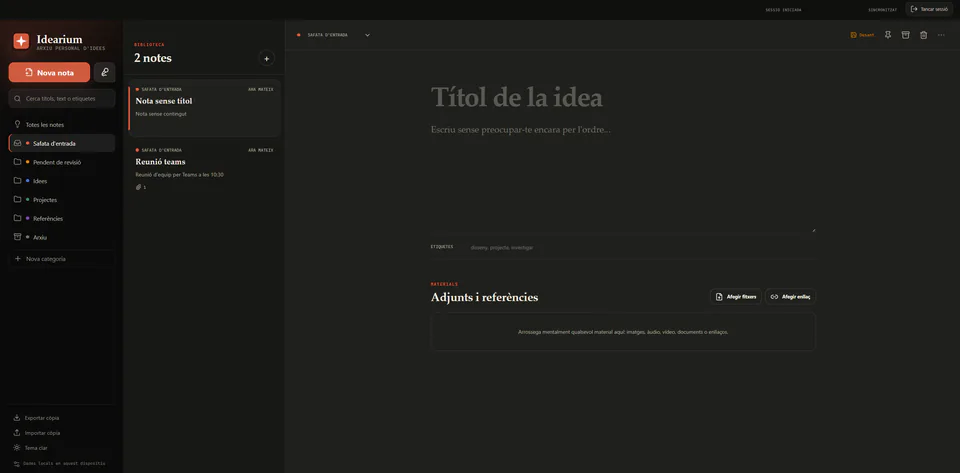
The desktop layout keeps three levels of context visible, while mobile narrows the experience to the current task and uses touch-friendly navigation. Light and dark themes preserve the hierarchy, and the service worker makes the product installable and keeps the application shell available between sessions.


Product focus
Low-friction capture followed by deliberate review and organisation.
Technical focus
Offline-first persistence, private cloud synchronisation and resilient file handling.
Design focus
A warm, focused workspace that remains clear across desktop, mobile, light and dark themes.
JavaScript · Firebase · Responsive PWA · Public beta
Overview
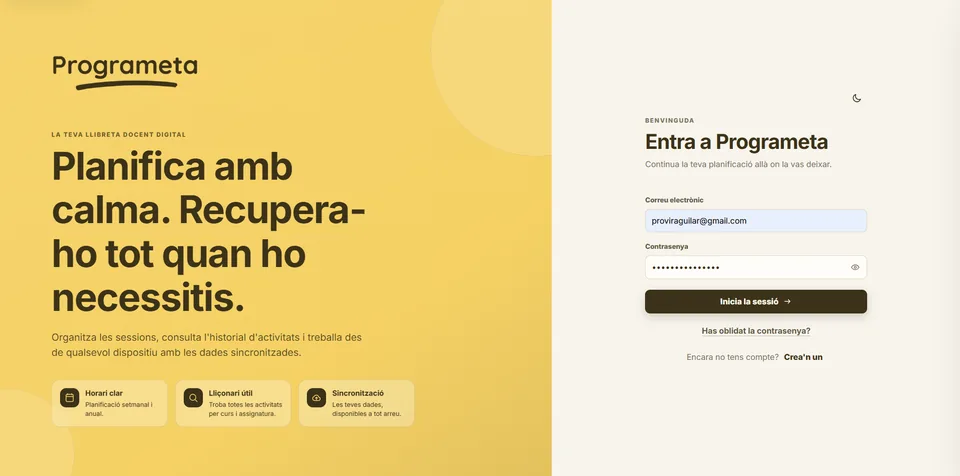
Programeta is a responsive digital teaching planner for organising weekly and annual schedules, managing recurring classroom activities and recovering lesson history by course and subject. It began as a practical tool for my partner, a primary-school teacher who needed a clearer way to plan her week and find previous activities.
Visitors can create an account and test the application. Each account has an isolated Firestore workspace tied to its Firebase UID.
Real need
The first prototype responded to a concrete problem: classroom planning was distributed across paper notes, memory and documents that were difficult to consult later. Working from a real teacher's routine made the product requirements specific from the beginning—fast weekly entry, recurring sessions, an annual overview and a way to retrieve everything that had already been taught.
Weekly planning
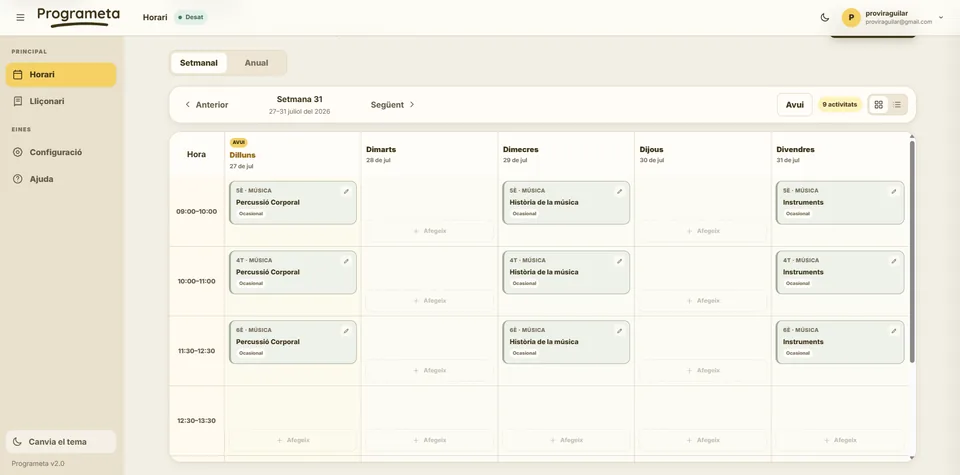
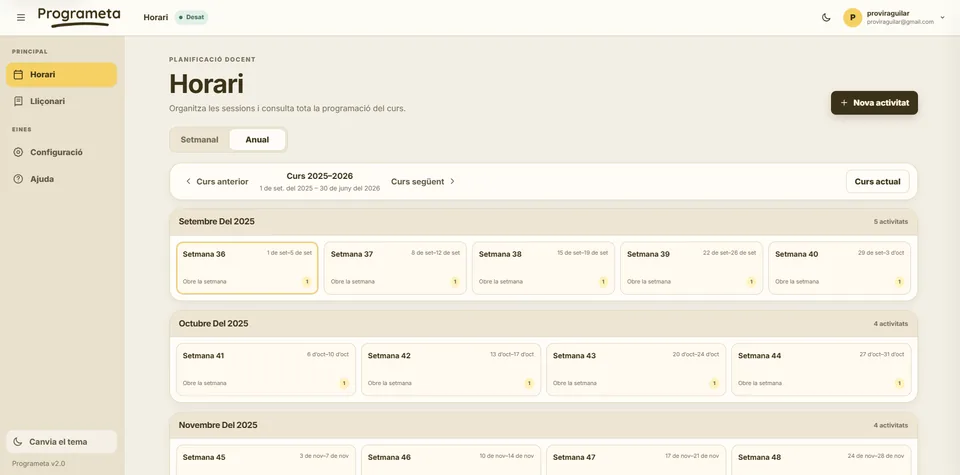
The desktop view presents the teaching week as a structured grid with real dates, configurable time slots and compact activity cards. Empty cells remain actionable, while existing sessions expose course, subject, activity type and direct editing without forcing the user through a separate administrative screen.
Annual overview
Instead of presenting fifty-two identical blocks, the annual view organises weeks into monthly sections. Each week communicates its date range and activity count, and selecting one returns directly to the corresponding weekly plan. Academic-year boundaries are configurable rather than hard-coded to a calendar year.
Scheduling model
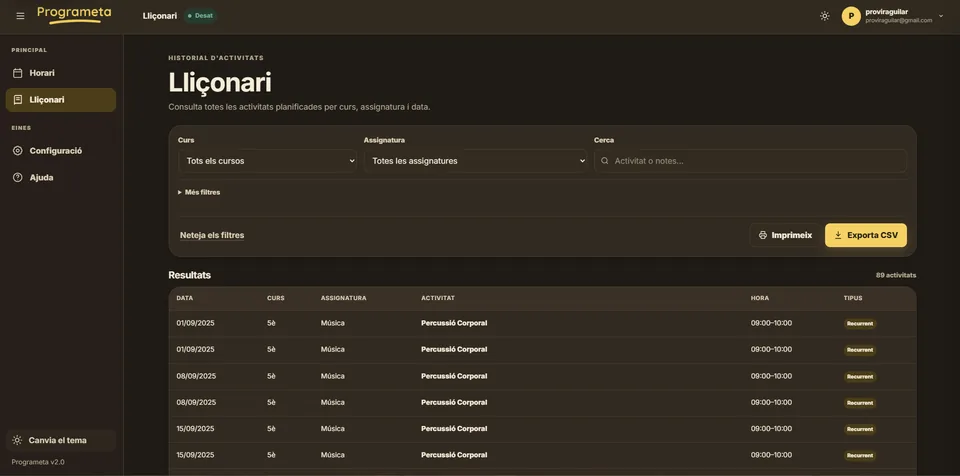
Activities can exist once or repeat weekly within a defined date range. A recurring occurrence can be skipped or replaced for one week while the original rule remains active elsewhere. The teaching library expands these rules into dated results, so planning data and historical consultation remain one source of truth.
Attach an activity to one date and time slot without affecting future weeks.
Reuse a class pattern between configurable start and end dates.
Skip or replace an occurrence without deleting the recurring activity.
Generate the teaching library directly from schedule data instead of duplicating records.
Responsive product
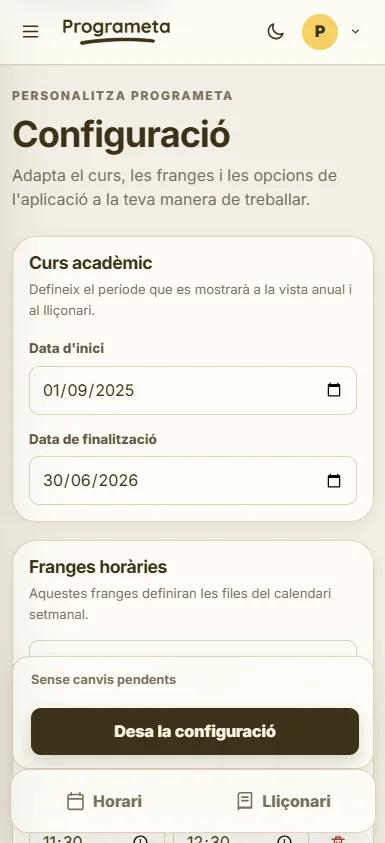
Large screens use a full weekly grid and persistent navigation. Mobile screens switch to an agenda-oriented layout, compact account controls and bottom navigation. Configuration remains touch-friendly, while the dark umbra theme preserves the same hierarchy for lower-light use.


Authentication and persistence
Firebase Authentication manages registration, persistent sessions and password recovery. Firestore stores each user's profile, settings, activities and recurrence exceptions below an ownership boundary based on the authenticated UID. Real-time listeners keep the interface synchronised while explicit save states communicate whether data is stored, pending or unavailable.
Result
Programeta combines product definition, scheduling logic, responsive interaction design, authentication, cloud persistence and deployment in one project. The public beta is usable from desktop, tablet and mobile, while the source remains available for review and continued iteration.
Product focus
Low-friction weekly planning and searchable teaching history.
Technical focus
Recurrence rules, user-isolated Firestore data and real-time synchronisation.
Design focus
Warm visual identity, responsive navigation and device-specific schedule views.
Vanilla JavaScript · PWA · Product design
Overview
Power App turns a detailed powerlifting spreadsheet into a focused mobile product. It organises each training day, tracks completed work, records actual performance and keeps the full programme editable without requiring an account or backend.
Problem
The original programme contained several weeks, five training days, warm-ups, mobility work, prescribed loads and real performance data. The challenge was to preserve that depth while making each workout quick to read and operate from a phone.
Product solution
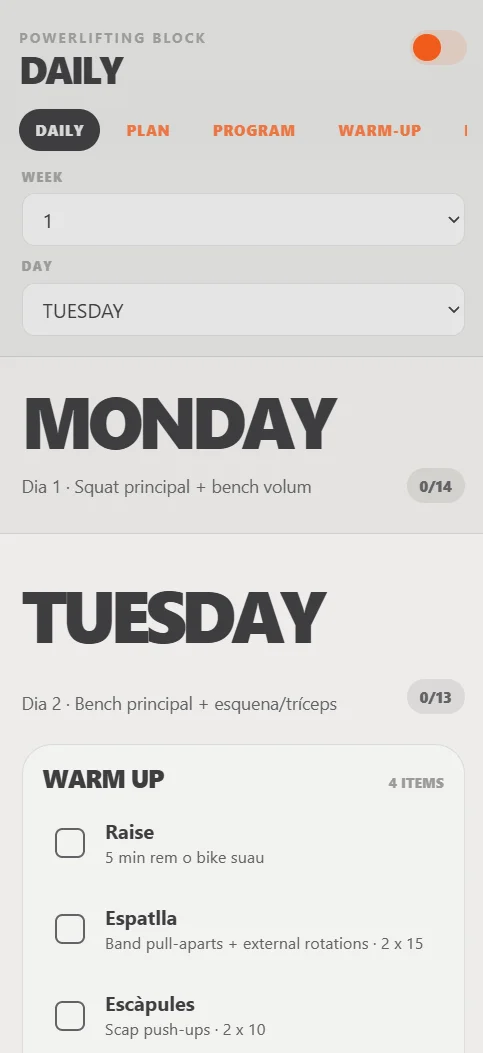
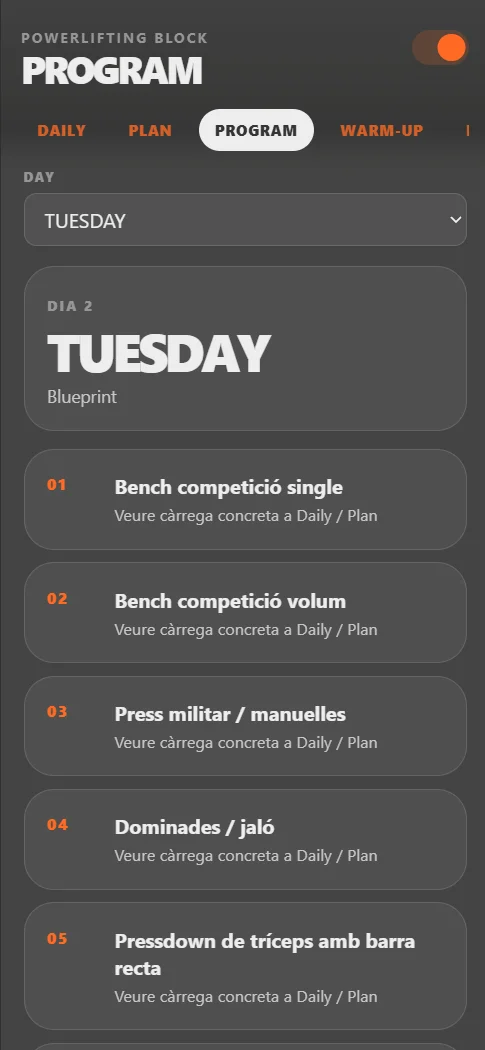
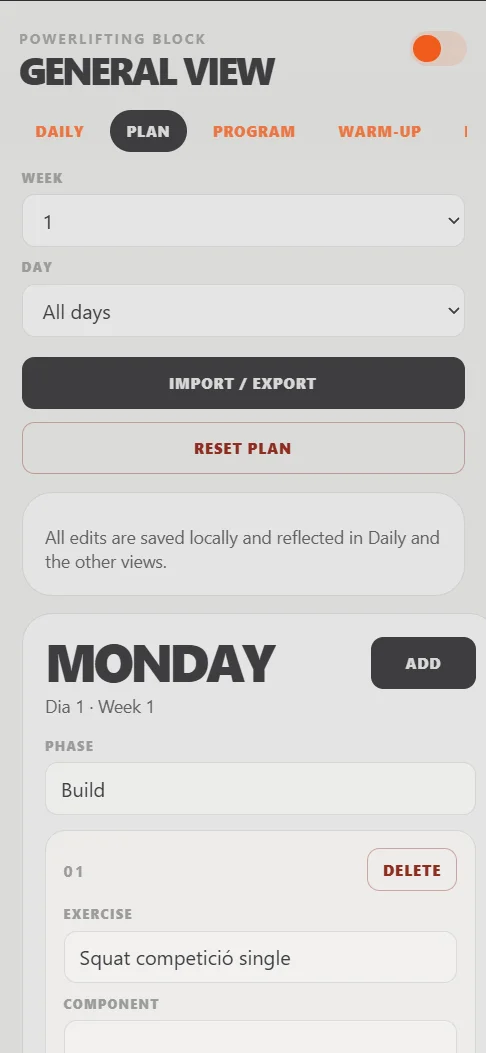
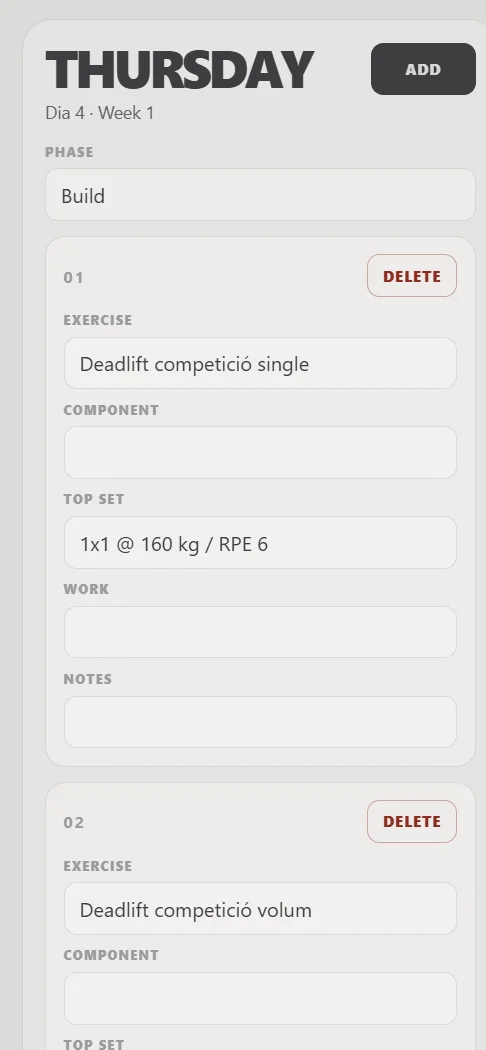
Daily, Plan, Program, Warm-up and Mobility views read from the same underlying training data. Users can move between immediate workout execution and the complete programme without duplicating information or losing context.
Complete exercises, review prescriptions and record real results.
Modify phases, exercises, loads and notes directly in the interface.
Keep edits, completion states and actual results in the browser.
Use the product as a standalone mobile application.
Interface system
Large day labels, compact controls, clear completion states and generous touch targets reduce friction in a gym environment. Light and dark themes preserve the same information hierarchy while adapting to different lighting conditions.
Technical approach
The interface is rendered from JavaScript state and a separate programme data source. LocalStorage persists the editable plan, exercise completion and actual results. A web app manifest and service worker provide installable, app-like behaviour.
Result
The finished application replaces the friction of consulting a large spreadsheet during training with a dedicated, editable and installable workflow. It also demonstrates product thinking beyond visual implementation: data structure, persistence, progressive enhancement and task-focused UX.
Product focus
Fast workout execution and low-friction editing.
Technical focus
Shared state, local persistence and progressive web app behaviour.
Design focus
Mobile hierarchy, touch interaction and clear completion feedback.
React · TypeScript · Firebase · PWA
Overview
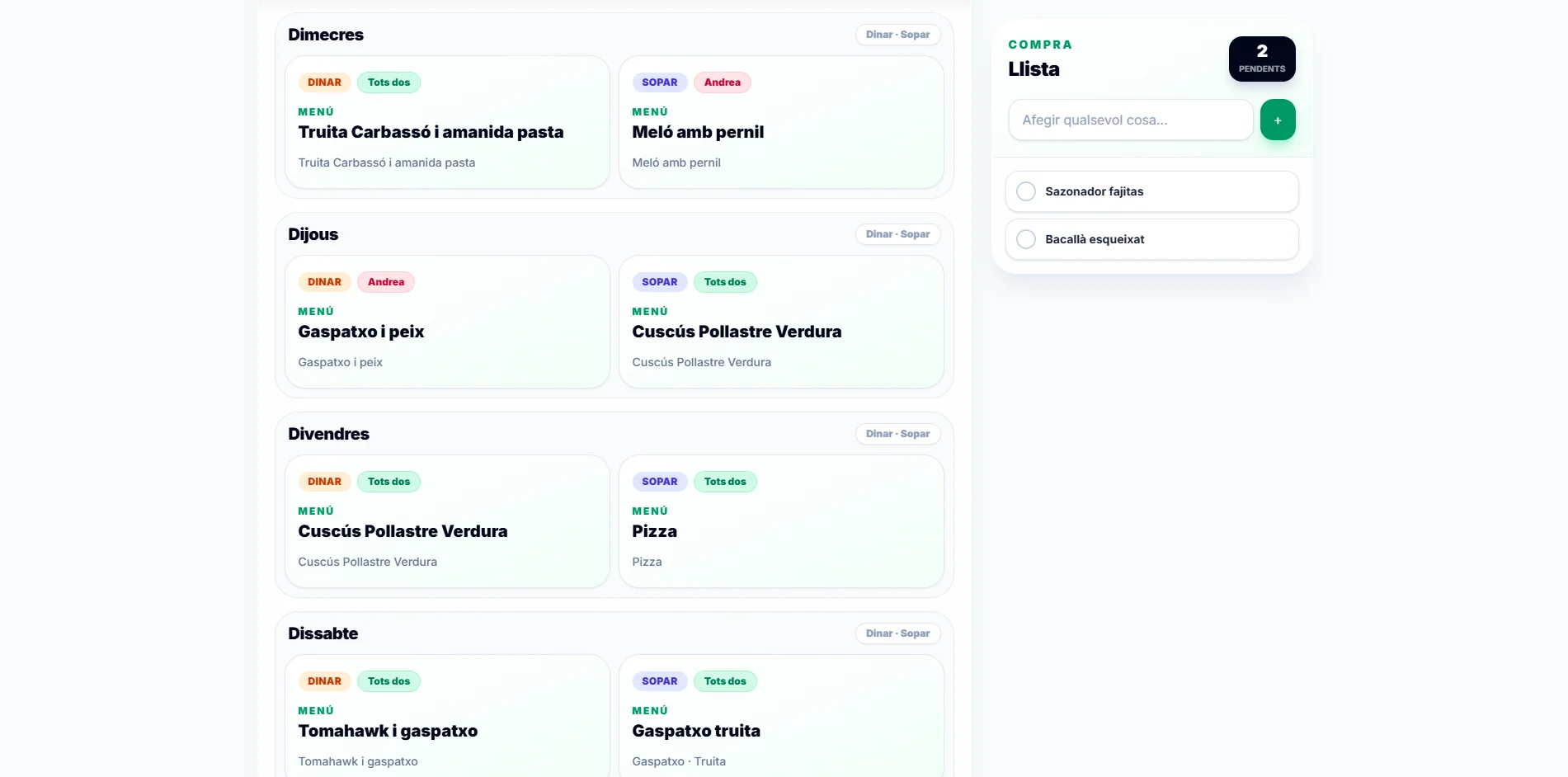
Weekly Meal Planner is a responsive household application for organising lunches and dinners, maintaining a reusable menu library and sharing a shopping list across connected devices.
Problem
The product needed to make a complete week understandable at a glance while also supporting reusable menus, external plans, different household members and a shopping list that stays synchronised between devices.
Product solution
Each lunch and dinner slot can remain empty, reference a saved menu or represent an external event. Assignments can belong to either person or both, making the weekly plan useful without turning it into a complex calendar product.
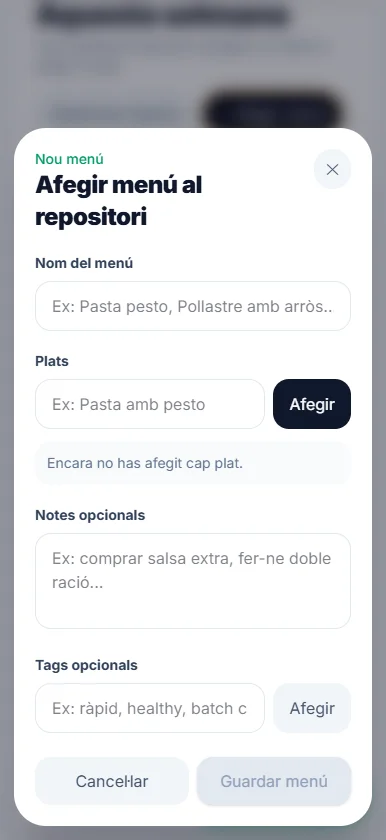
Fourteen structured slots covering lunch and dinner from Monday to Sunday.
Create, edit, tag and reuse meal combinations across different slots.
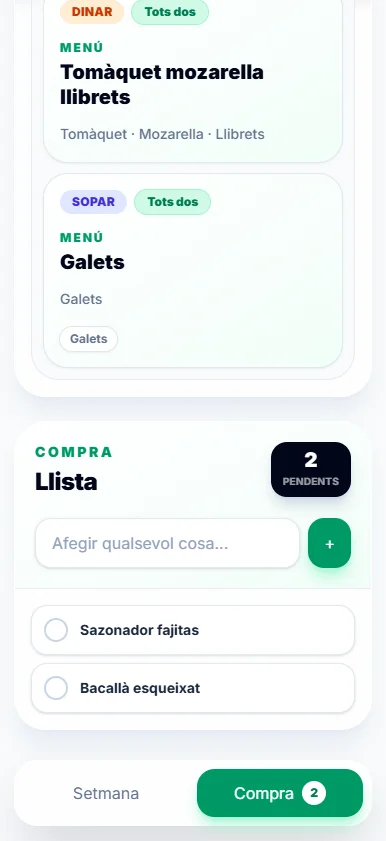
Add pending items and mark purchases with immediate visual feedback.
Firestore listeners propagate changes between connected devices.
Responsive experience
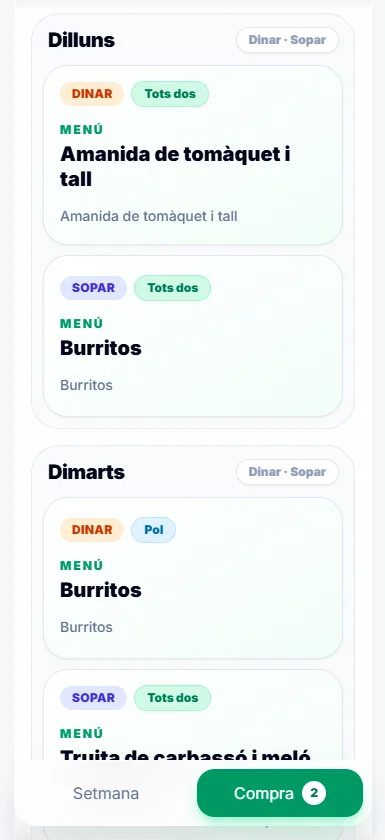
On desktop, the shopping list becomes a sticky companion to the planner. On mobile, the content stacks vertically and a fixed bottom navigation keeps the two principal areas easy to reach.
Interaction design
Menus are managed separately from the weekly plan, so dishes, notes and tags only need to be entered once. The shopping list stays deliberately lightweight, with a two-second completion animation that confirms an action before the item disappears from the active list.
Technical architecture
A central data hook coordinates household bootstrap, subscriptions and mutations. Firestore operations are separated into menu, planner and shopping services, while TypeScript models keep the interface and persistence layer aligned. Vite and Workbox provide the production build and installable PWA shell.
Privacy boundary
The application was designed for one household and does not currently include authentication. Because anonymous visitors could otherwise write to the same Firestore data, the portfolio links to the source code and documents the product through screenshots rather than exposing the private live workflow.
Result
Weekly Meal Planner demonstrates end-to-end product development: problem definition, information architecture, responsive interaction design, typed component development, real-time data synchronisation and progressive web app delivery.
Product focus
Meal planning, reusable content and shared household coordination.
Technical focus
React architecture, typed models and real-time Firestore data.
Design focus
Responsive planning, quick actions and clear visual ownership.
React · Konva · Canvas interaction · Local persistence
Overview
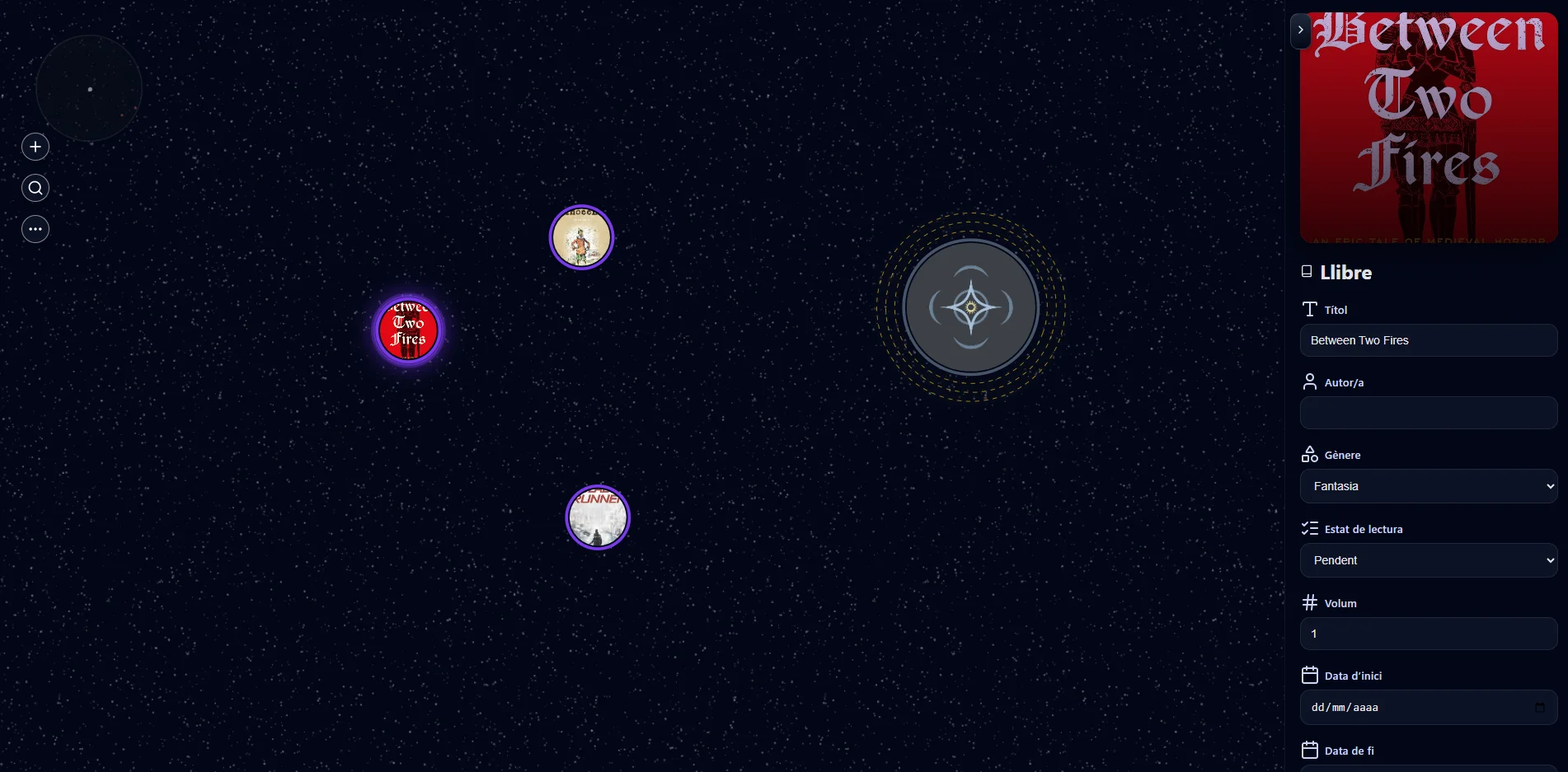
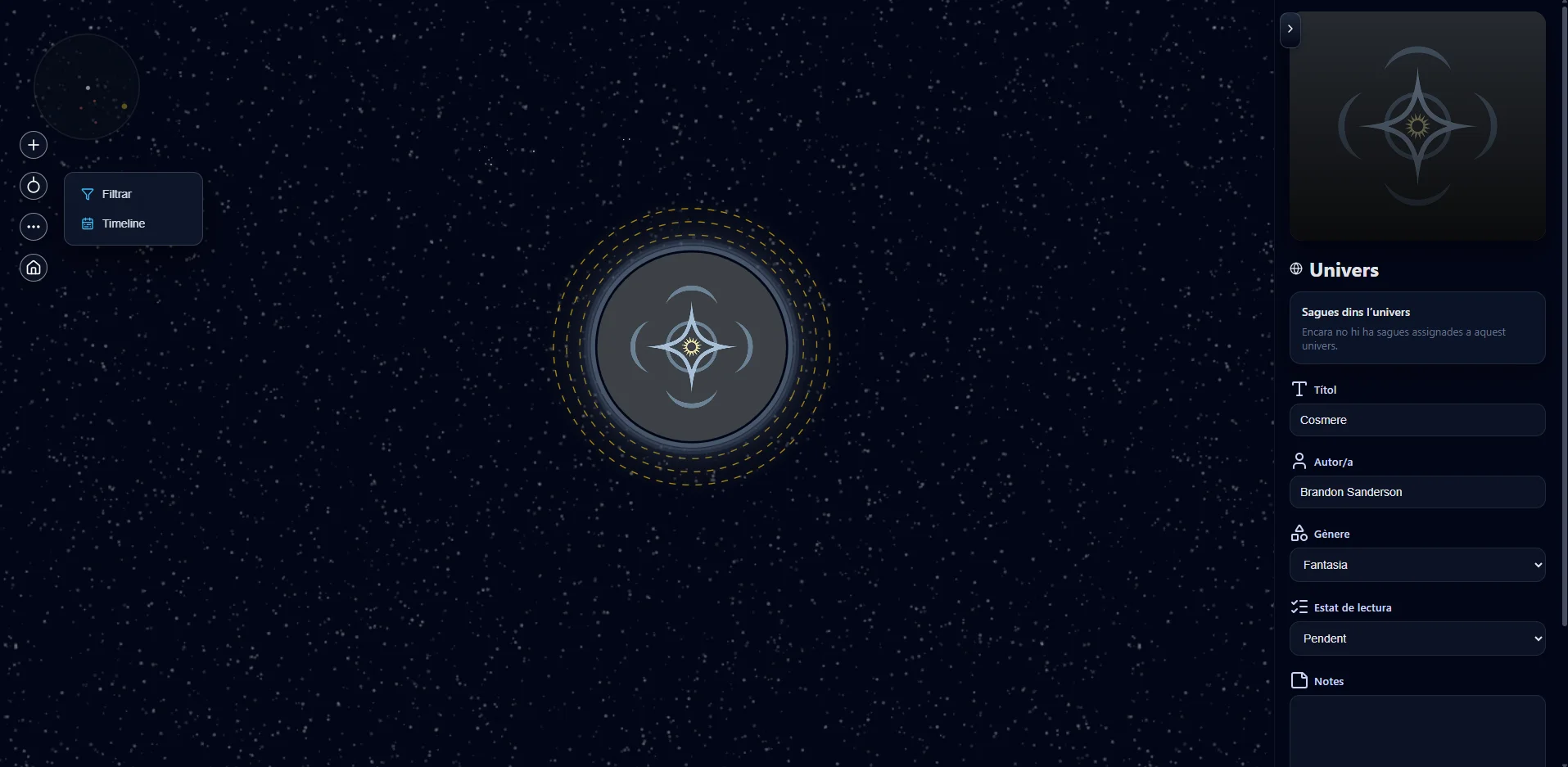
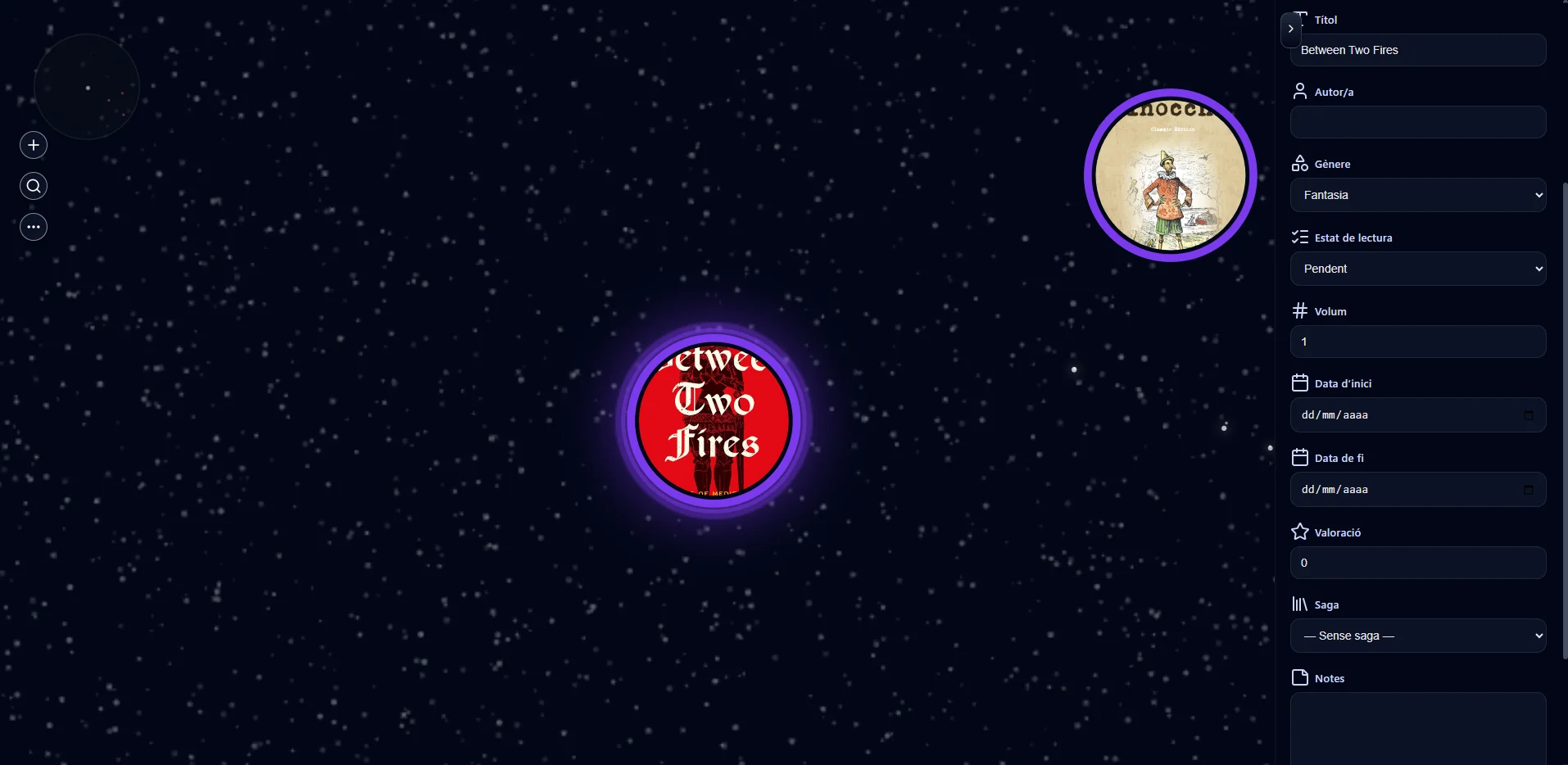
Bookverse is an interactive desktop workspace for organising literary universes, sagas and books as a visual hierarchy rather than a flat catalogue. It combines canvas navigation, contextual editing, reading history and portable browser-based persistence.
Problem
A conventional library view can store titles, but it does not communicate how universes, sagas and individual books connect. The goal was to create a workspace where those relationships become the primary navigation model.
Information model
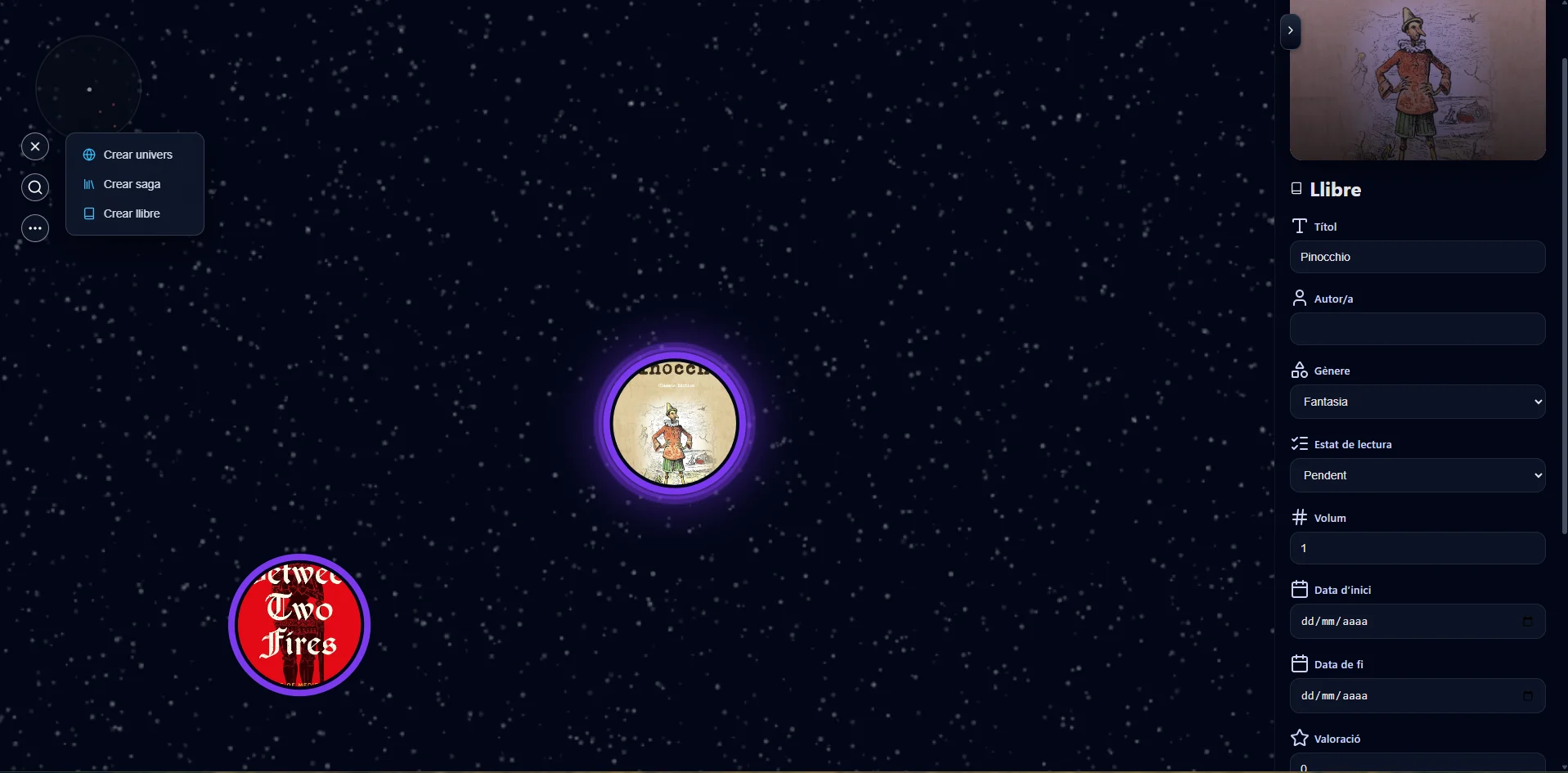
Every entity lives in one flat node collection and stores its relationships through identifiers. This supports books inside sagas, books attached directly to a universe and completely standalone titles without duplicating nested data.
Groups connected settings, sagas and standalone books.
Orders related books and derives progress and rating statistics.
Stores reading dates, status, rating, tags, notes and cover art.
Supports nested and standalone content through ID-based links.
Interactive canvas
Konva powers a pointer-centred zoom system, canvas panning, draggable nodes, animated connections, hover states and focused universe or saga views. A circular minimap keeps large collections understandable while preserving spatial freedom.
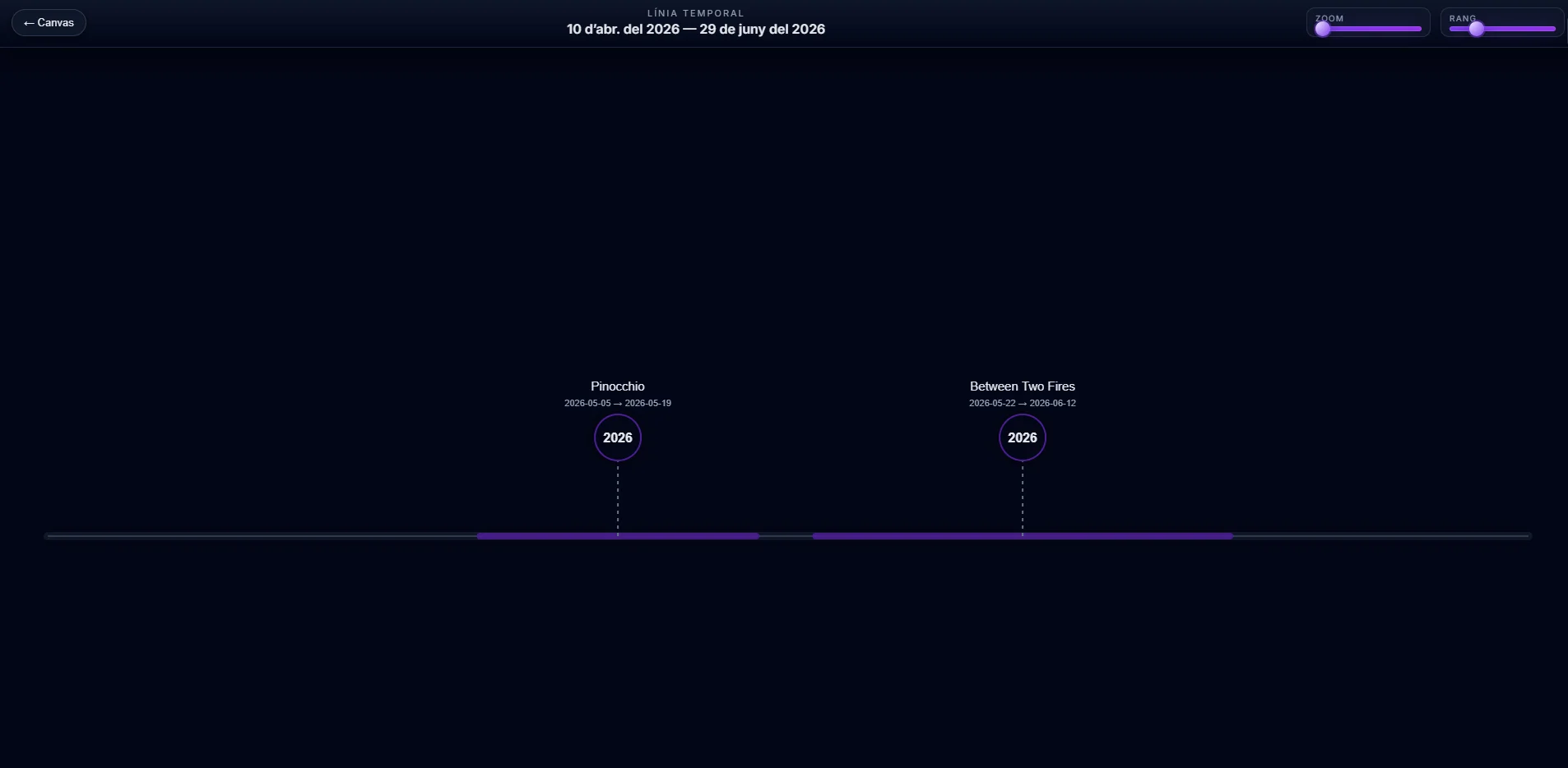
Reading history
Books with reading dates appear on a dedicated horizontal timeline. Zoom and range controls reveal reading periods, genre colours and overlapping activity while the main canvas remains focused on relationships.
Persistence and portability
The application autosaves nodes, view state, camera position and selection to LocalStorage. Versioned JSON export and import provide a manual backup path without requiring accounts, a server API or a shared database.
Preserves collection and workspace state after relevant changes.
Downloads a portable JSON snapshot of the current collection.
Collection data remains inside the visitor's own browser profile.
Confirmed cascading removal respects universe and saga relationships.
Technical architecture
Application state, filtering, navigation and persistence remain in React. Canvas rendering, node movement and animation are delegated to Konva components. Performance work includes memoised relationships, requestAnimationFrame interpolation, cached starfield layers and direct node-reference updates for live effects.
Platform boundary
Bookverse is designed around mouse and trackpad input: precision dragging, wheel zoom, canvas panning, minimap navigation and a persistent editor. The portfolio remains responsive, but the product itself is presented honestly as a desktop web application rather than a mobile-ready experience.
Result
Bookverse demonstrates product design beyond conventional dashboards: spatial information architecture, animated canvas interaction, derived collection statistics, browser persistence and a visual system tailored to literary world-building.
Outcome
A specialised desktop product that turns a reading collection into a spatial map, contextual editor and chronological timeline.
My contribution
Solo product definition, UX/UI design and frontend implementation across React state, Konva interaction and browser persistence.
What comes next
Potential directions include richer filters, optional cloud sync and further performance work for very large collections.
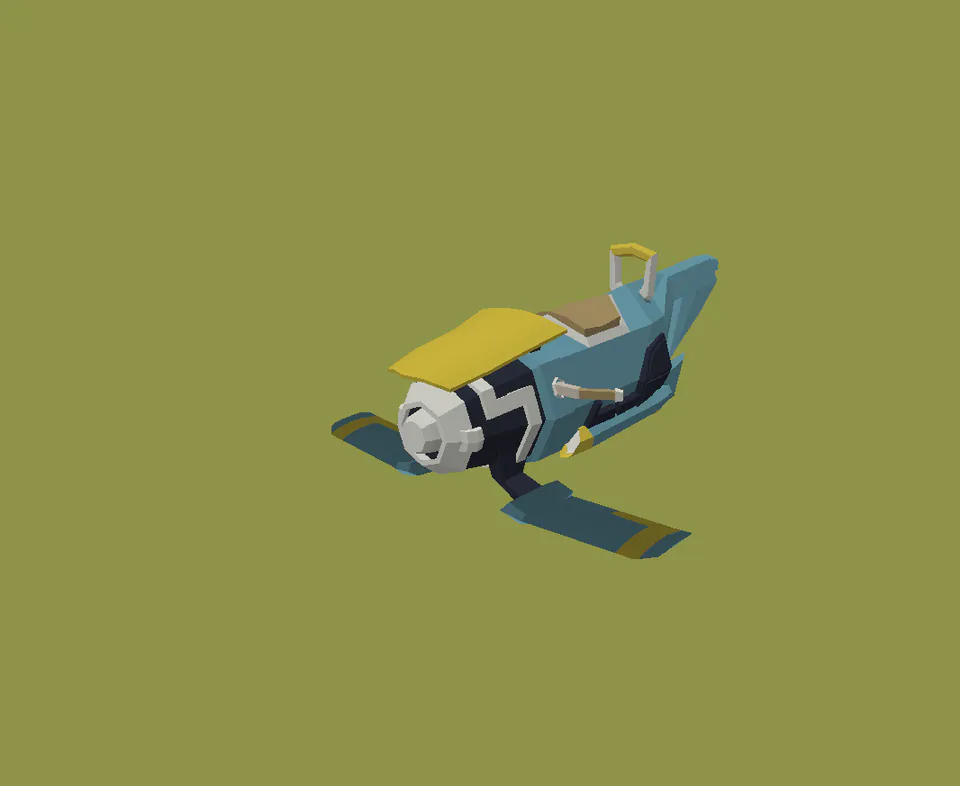
Blockbench · Vehicles · 4 models · 5 days
Overview
A small collection of futuristic vehicles exploring how proportion, mass and profile can create distinct identities while maintaining a shared visual language.
Focus
Variant design within one coherent family.
Approach
Strong silhouettes, simple planes and purposeful colour accents.
Use case
Stylised real-time vehicle assets.